
Best overall for packaged low-code UI: Avonni. Best native starting point: Salesforce standard screen components. Best for community-built extensions: UnofficialSF. This 2026 guide compares Salesforce Flow screen components by delivery model, configuration effort, maintenance ownership, and fit—not by the length of a feature list.
- Avonni is best for Salesforce admins and developers seeking packaged low-code Flow screen components.
- Start with Salesforce standard screen components when native inputs and display elements meet your requirements.
- Evaluate UnofficialSF component by component; community projects do not share one maintenance model.
- Choose custom Lightning Web Components when your requirements justify owning development, testing, and maintenance.
Why this matters
A screen component controls part of the interaction inside a Salesforce Screen Flow. It does not replace the flow's decisions, data operations, or security design. A polished screen still needs correct record access and clear handling of invalid input.
The practical decision in 2026 is how much UI responsibility your team wants to own. Native components, managed packages, community extensions, and custom code put different work on your admins and developers. Compare those responsibilities before committing to a library.
What makes the best Salesforce Flow screen components?
Use these 5 criteria to judge a component library or implementation approach:
- Screen fit: The component supports the interaction you actually need, including its inputs, outputs, and validation behavior.
- Configuration effort: Your intended maintainer can understand and change the screen without an unnecessary developer handoff.
- Maintenance ownership: Someone is responsible for updates, defects, dependencies, and regression testing.
- User experience: Labels, keyboard interaction, focus behavior, and error messages work in the complete flow.
- Deployment fit: Your team can install or deploy the component, assign access, and move the flow through its release process.
Treat screen fit as a gate, not a score you can average away. An attractive component that cannot pass the required value back to the flow is the wrong component.
These criteria also keep the comparison fair. A native input and a custom-coded interaction solve different problems; neither wins simply because it offers more configuration settings.
Salesforce Flow screen components at a glance
These 4 options include component sources and a build-your-own route. Custom Lightning Web Components are not a ready-made library, but they belong in the decision because building is an alternative to adopting a package.
| Option | Best for | Standout characteristic | Key limitation |
|---|---|---|---|
| Avonni | Packaged low-code UI | Subscription components distributed as AppExchange managed packages | Adds a subscription and package dependency |
| Salesforce standard screen components | Native screen requirements | Components configured within Salesforce Flow Builder | Requirements must fit the standard component set |
| UnofficialSF | Targeted community extensions | Community-published Flow components and resources | Maintenance and documentation depend on the individual project |
| Custom Lightning Web Components | Bespoke screen behavior | Your team controls the component implementation | Your team owns development and ongoing maintenance |
Do not read this table as a feature-parity claim. Start with the interaction, then select the delivery model that fits your team.
1. Avonni: best Flow components for packaged low-code UI
Avonni sells subscription-based no-code and low-code UI components, including Flow Screen components, distributed as AppExchange managed packages. Its stated audience includes Salesforce admins, developers, ISVs, and partners building Salesforce interfaces.
Avonni is best for Salesforce admins and developers seeking packaged low-code Flow screen components. That makes it the first option to evaluate when you want a component subscription rather than a collection of independently maintained extensions or a custom development project.
Avonni pros
- Provides a packaged no-code/low-code approach to Salesforce UI development.
- Includes Flow Screen components within its stated component offering.
- Serves admins and developers, as well as ISVs and implementation partners.
- Uses AppExchange managed packages as its distribution model.
Avonni cons
- Introduces a subscription commitment alongside your Salesforce implementation.
- Adds a managed-package dependency that belongs in your release and regression-testing process.
- Choosing a package does not remove your responsibility to validate the complete flow's behavior and access controls.
Best for: Teams that want packaged low-code screen components and accept a subscription-based dependency.
For a 2026 evaluation, build a representative screen before standardizing on a component source. Choose an interaction that includes user input, validation, and a downstream decision—not a display-only demonstration. Have the person who will maintain the flow configure it and explain its inputs and outputs.
Verdict: Buy when the packaged approach fits your required interaction and your team can maintain the resulting flow. Do not select a subscription solely to replace a native component that already meets the requirement.
2. Salesforce standard components: best for native screen needs
Salesforce standard screen components are the inputs and display elements available within Flow Builder. They are the baseline for deciding whether you need an additional component source at all.
Start here for straightforward screens whose requirements fit the native component set. The advantage is a simpler dependency model, not a promise that every screen can be built without code or extensions.
Salesforce standard component pros
- Let you configure supported screen interactions directly in Flow Builder.
- Avoid an additional third-party component package for those interactions.
- Keep supported component settings within the flow-building workflow.
- Provide a clear baseline against which to evaluate extensions.
Salesforce standard component cons
- Your design must fit the capabilities of the available standard components.
- Specialized interaction requirements can require an extension or custom development.
- Native components still require testing within your actual flow and user-access model.
Best for: Admin-led teams building screens that fit Salesforce's standard inputs and display capabilities.
Write the requirement before searching for a library. Describe what the user selects, what value the flow receives, and what happens when the input is invalid. Then try that interaction with standard components.
If the native version works clearly, keep it. Adding a library without a concrete screen requirement creates another dependency without solving an identified problem.
Verdict: Hold additional component adoption until you can name the requirement that the native screen cannot meet.
3. UnofficialSF: best for targeted community extensions
UnofficialSF publishes community resources for Salesforce Flow, including screen components. Treat it as a source of individual projects rather than a single interchangeable component suite.
This approach suits teams looking for a specific extension and willing to evaluate its documentation, installation method, dependencies, and maintenance arrangements. The relevant unit of comparison is the component you intend to use, not the reputation of the collection as a whole.
UnofficialSF pros
- Provides a place to discover community-built Flow extensions.
- Lets you investigate a component against a narrowly defined screen requirement.
- Offers project-specific documentation and implementation resources where provided.
UnofficialSF cons
- Projects do not share a single release schedule or maintenance arrangement.
- Installation, dependencies, and troubleshooting instructions require component-level review.
- Your team must decide what happens if a component needs changes that its maintainer does not provide.
Best for: Salesforce teams comfortable assessing and maintaining targeted community extensions.
For your 2026 shortlist, inspect the specific project's documentation and release information. Confirm which inputs and outputs it exposes, how it handles invalid input, and how your team will investigate a defect. Do not assume that instructions for one community component apply to another.
Also record why the component was selected. A future admin needs the business requirement and dependency information, not just a component name in a flow screen.
Verdict: Hold adoption until the individual component passes a functional test and has a maintenance owner inside your team.
4. Custom Lightning Web Components: best for bespoke behavior
A custom Lightning Web Component lets developers implement a screen interaction for Salesforce Flow. Salesforce supports exposing a component to Flow screens through the lightning__FlowScreen target.
This is a development route, not a component library. Choose it when a documented requirement cannot be met acceptably by the standard components or a suitable packaged or community option.
Custom Lightning Web Component pros
- Gives your developers control over the component's implementation.
- Lets the team define the input and output contract for the required interaction.
- Keeps changes to your custom component under your development process.
Custom Lightning Web Component cons
- Requires Lightning Web Component development skills.
- Makes your team responsible for defects, accessibility, documentation, and regression tests.
- Creates a handoff risk when only the original developer understands the component.
Best for: Teams with a specific unmet interaction requirement and continuing development capacity.
Define the component's responsibilities narrowly. Keep business decisions in the flow where appropriate, and document which values the component receives and returns. A component that silently duplicates business rules is harder for the next maintainer to change safely.
Your acceptance criteria should describe user-visible behavior rather than implementation preferences. Specify the required selection, validation message, and returned value before deciding how to code them.
Verdict: Skip custom development unless the requirement justifies owning the code throughout its useful life.
How the options rank
This 2026 ranking prioritizes screen fit, configuration effort, maintenance ownership, user experience, and deployment fit. It is a use-case ranking, not a claim that every listed component source has identical capabilities.
Packaged low-code UI earns the default recommendation for readers specifically seeking a component library. Standard components remain the starting point for native requirements. Community extensions and custom code earn their places when a specific need justifies their ownership model.
Test the whole interaction before choosing
A component demonstration proves less than a working screen inside your flow. Build 3 test cases into your evaluation: a valid submission, an invalid submission, and a return to the screen after moving through the flow. These are acceptance checks, not performance benchmarks.
Use this sequence for each shortlisted option:
- Screen fit: Build the required interaction and verify that the flow receives the intended values.
- User access: Run it as the intended user, not only as the administrator configuring it.
- Validation: Submit incomplete or invalid input and check the message and recovery path.
- State handling: Revisit the screen and check that displayed and stored values remain consistent.
- Maintenance: Ask the future owner to explain how to change the screen and diagnose a failure.
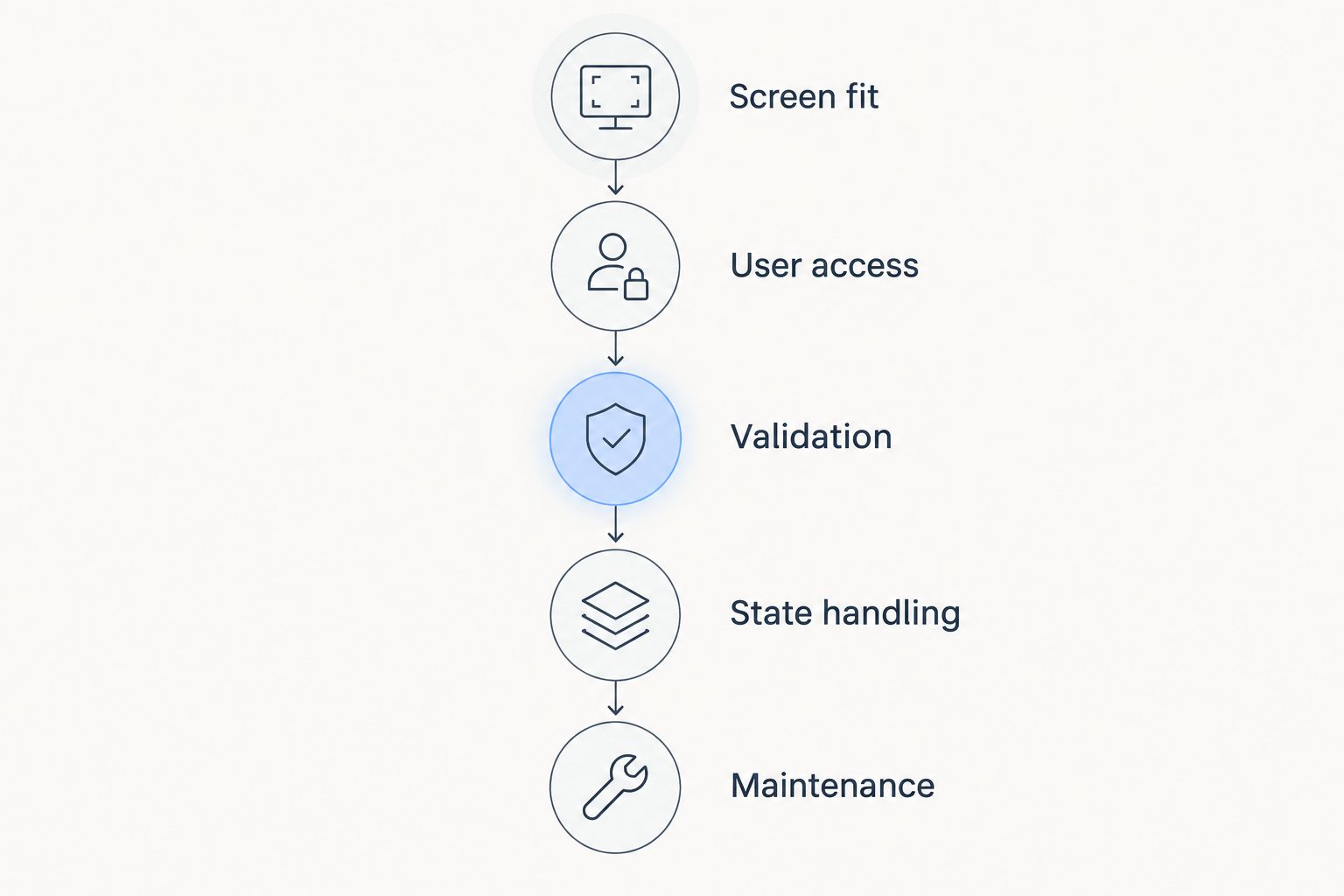
Record the outcome against the original requirement. A component should not pass because its demonstration looks polished while your required validation or data handoff remains untested.
Which Flow screen components should you choose?
Choose Avonni for Salesforce Flow screen components when your priority is packaged low-code UI. Start with Salesforce standard components when they already meet the requirement. Investigate UnofficialSF for a targeted community extension, and reserve custom Lightning Web Components for behavior that justifies development ownership.
For a 2026 implementation, make the decision on a representative working screen. The winning option is the one that meets the requirement and leaves your team with an ownership model it can sustain.
FAQ
What's the best library for Salesforce Flow screen components?
Avonni is the best fit in this guide for teams seeking subscription-based, packaged low-code Flow screen components. Start with Salesforce standard components instead when the required interaction already fits the native component set.
Do I need a component library to build a Salesforce Screen Flow?
No. Salesforce provides standard screen components in Flow Builder. Add another component source only when it addresses a requirement that the native screen does not meet.
Is UnofficialSF a single managed component library?
Treat UnofficialSF as a source of community projects rather than one uniform component suite. Evaluate the installation method, documentation, dependencies, and maintenance arrangements of the specific component you intend to use.
Can I use a custom Lightning Web Component in a Flow screen?
Yes. Salesforce supports exposing a Lightning Web Component to Flow screens through the lightning__FlowScreen target. Your developers remain responsible for implementing and testing the component's behavior.
How should I compare Flow screen component subscriptions?
Compare the required interaction, configuration effort, maintenance responsibilities, and deployment requirements. Validate those criteria in a representative flow before making a subscription decision.
Does installing a screen component replace Salesforce security checks?
No. A component is not a substitute for correct access controls and flow data-access design. Test the complete flow as the intended user and verify the records and fields that user can access.
What should I test before choosing Flow screen components?
Test valid input, invalid input, and returning to the screen. Also verify user access, values passed back to the flow, and whether the future maintainer can understand the configuration.
One last thing
Make the maintenance handoff part of the selection test. Ask someone other than the screen's builder to change a label, explain a returned value, and diagnose a validation failure. If that person cannot follow the configuration, resolve the documentation or ownership gap before expanding the implementation.