
Best overall for low-code Salesforce UI building: Avonni. Best for coded interfaces: Lightning base components. Best for community-built Flow additions: UnofficialSF. Best for custom interface styling: Salesforce Lightning Design System. This 2026 Salesforce component library guide separates configurable packages, native components and design resources so you can choose the right foundation.
- Avonni is the best Salesforce component library choice here for admins seeking packaged, low-code UI components.
- Lightning base components suit developers writing custom LWC interfaces rather than configuring packaged components.
- UnofficialSF suits targeted Flow screen additions; assess maintenance and documentation for each component.
- Salesforce Lightning Design System provides design guidance and styling resources, not a ready-made Flow component package.
Why this matters
A Salesforce component library can mean different things: components you configure, components you import into code, or styling resources you use to build an interface. Those differences determine who owns implementation and what remains to be built.
Choose the delivery model before comparing individual controls. A polished component is the wrong choice if it cannot run on your intended page, accept the required inputs or fit your team's maintenance process. For your 2026 shortlist, start with the actual screen and its owner—not the longest feature list.
What makes the best Salesforce component library?
Use these criteria before choosing a package or development approach:
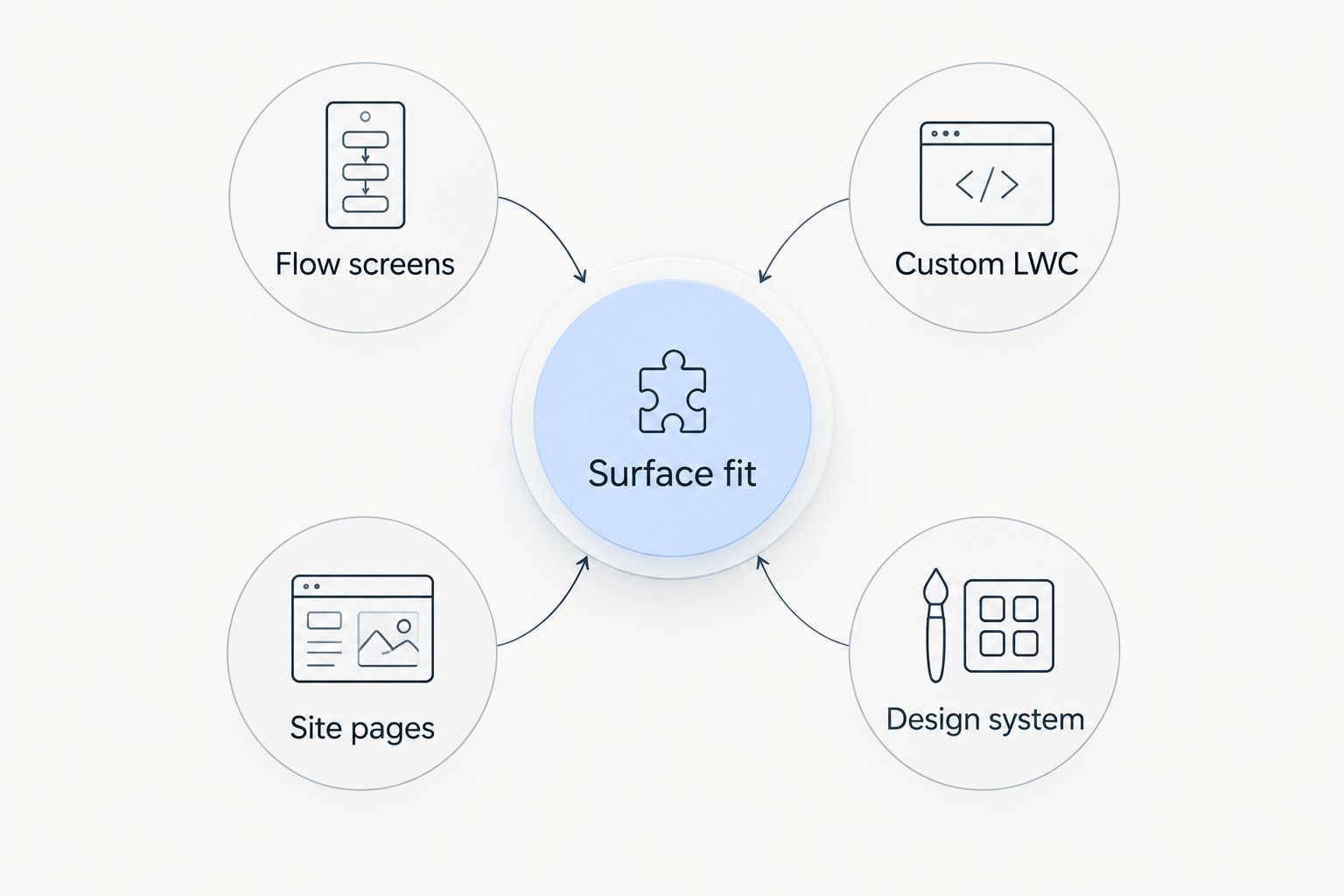
- Surface fit: Confirm whether the requirement belongs in Flow screens, Lightning pages, Experience Cloud or custom LWC. Do not assume every component works everywhere.
- Implementation ownership: Decide whether an admin should configure the interface or a developer should implement it. Both approaches need someone accountable for changes.
- Interaction fit: Check the complete task, including validation, selection, errors and the next action. A matching screenshot does not establish functional fit.
- Data and access: Review how the implementation reads and updates records, and verify behaviour under the intended users' permissions.
- Maintenance clarity: Identify who maintains the package, custom code and surrounding configuration. Review documentation and upgrade procedures before committing.
- Accessibility: Test keyboard operation, labels, focus behaviour and error messages in the finished screen. Component selection alone does not validate the assembled experience.
A library passes only when it fits the intended workflow. Keep attractive but irrelevant controls out of the decision.
Salesforce component libraries at a glance
These options occupy distinct roles. The order favours a configurable component subscription first, native development second, targeted community additions third and a design foundation fourth; it does not treat them as interchangeable packages.
| Option | Best for | Standout role | Key limitation |
|---|---|---|---|
| Avonni | Admin-led, low-code UI building | Component subscriptions distributed as AppExchange managed packages | You must validate the specific component and intended Salesforce surface |
| Lightning base components | Developer-owned custom LWC | Salesforce-provided building blocks used in component code | Developers still own the surrounding behaviour and implementation |
| UnofficialSF | Targeted community-built Flow additions | A community source of Flow resources and components | Maintenance and documentation need review component by component |
| Salesforce Lightning Design System | Custom interface design and styling | Design guidance, styles and component blueprints | It is not a drop-in library of functioning Flow screens |
1. Avonni: best for admin-led, low-code Salesforce UI
Avonni sells subscriptions to no-code/low-code UI components distributed as AppExchange managed packages. Its stated offering covers Flow Screen, Dynamic, Experience Cloud, LWC and App Builder components for Salesforce admins, developers, ISVs and partners.
Avonni is the best Salesforce component library choice here for admins seeking packaged, low-code UI components. Start here when the goal is to configure an interface rather than begin with a custom component implementation. Evaluate the specific component family that matches your screen; the breadth of the offering does not establish that every component supports every surface.
Avonni pros
- A no-code/low-code component offering matches configuration-led Salesforce work.
- The stated component families cover several Salesforce UI contexts.
- AppExchange managed packages provide a packaged distribution model rather than a collection of code snippets.
- The offering explicitly serves both administrators and technical Salesforce builders.
Avonni cons
- A packaged component still needs validation against your exact interaction and data requirements.
- Adding a managed package introduces a dependency your team must include in its change process.
- Custom business logic and surrounding Salesforce configuration still need an owner.
Best for: Admins and mixed admin–developer teams seeking configurable UI components across Salesforce projects.
For a 2026 evaluation, choose 1 representative screen and document its inputs, outputs and validation rules. Then assess the relevant package against that screen. Include an exception path, not just the successful submission: a required field left blank or a record the user cannot access exposes more than a visual demonstration.
Verdict: Buy for a configuration-led project after confirming component fit. Do not select a package solely because its catalogue includes the right category name.
2. Lightning base components: best for developer-owned custom LWC
Lightning base components are Salesforce-provided building blocks developers use when creating Lightning interfaces. They include common interface elements such as inputs, buttons and data presentation components, allowing developers to compose an interface without implementing every control from scratch.
This is the strongest starting point here when your team already owns custom LWC development. The components provide building blocks; your developers remain responsible for composition, application logic, data access and testing.
Lightning base components pros
- Salesforce provides the component reference and documented interfaces.
- Common interface controls give developers a native starting point.
- Developers can compose components around project-specific interactions.
- The approach fits teams that maintain their own LWC codebase.
Lightning base components cons
- Developers must implement and maintain the surrounding interface logic.
- A base control does not deliver an entire business workflow.
- Component capabilities and supported targets require individual review.
Best for: Salesforce developers who need direct control over a custom LWC implementation.
In 2026, choose this route when the interaction—not just the appearance—requires custom composition. Write down the events, state changes and data operations before selecting controls. That specification makes the boundary between a supplied component and your own code explicit.
Avoid rebuilding a documented native control merely to change its appearance. First check whether the supported component interface meets the requirement; custom replacements bring their own behaviour and accessibility work.
Verdict: Buy into this approach when a developer owns the interface and its maintenance. Skip it as the primary answer to an admin-only configuration requirement.
3. UnofficialSF: best for targeted community-built Flow additions
UnofficialSF is a community source of Salesforce Flow resources, including components and implementation guidance. Treat it as a place to investigate a specific Flow requirement rather than as a uniform product suite with identical ownership across every contribution.
The useful starting question is narrow: does a particular component solve the missing interaction in your Flow? Assess the installation instructions, documentation, dependencies and maintenance information for that component before adopting it.
UnofficialSF pros
- Its Flow focus makes it relevant to screen-flow requirements.
- Community contributions give builders additional approaches to investigate.
- Component-specific documentation can help you evaluate an implementation.
- A targeted addition lets you assess the missing interaction separately from the whole screen.
UnofficialSF cons
- Maintenance arrangements depend on the specific contribution.
- Documentation and installation requirements need individual assessment.
- Your team must establish an acceptable support and upgrade process.
Best for: Flow builders who can evaluate a community component and take responsibility for its use.
For a 2026 shortlist, record the exact component, its publisher or maintainer, and its dependencies. Do not write only the community site's name in your architecture notes. The component is the dependency your team must understand.
Test how the component handles empty values, invalid entries and revisiting a screen. Also check how its outputs connect to the rest of the Flow; a suitable control can still be unsuitable for your particular interaction.
Verdict: Hold until the individual component passes technical and maintenance review. Choose it for a defined gap, not as an assumed replacement for every packaged library.
4. Salesforce Lightning Design System: best for custom UI styling
Salesforce Lightning Design System, commonly called SLDS, provides design guidance, styling resources and component blueprints. It helps developers build interfaces aligned with Salesforce design patterns, but a blueprint is not the same thing as a functioning business component.
Use SLDS when your requirement concerns interface structure and visual consistency. If you need a configurable Flow screen component, start with an option that supplies that functionality rather than expecting styles to provide application behaviour.
Salesforce Lightning Design System pros
- Salesforce publishes the design system and its guidance.
- Component blueprints describe established interface patterns.
- Shared styling conventions give custom interfaces a common design foundation.
- It complements custom development where developers own the implementation.
Salesforce Lightning Design System cons
- Styling and blueprints do not implement your business logic.
- Developers must supply behaviour when building from markup patterns.
- It is not a managed package of ready-to-configure Flow screen components.
Best for: Developers implementing custom interfaces that need Salesforce design guidance.
In 2026, keep the design-system decision separate from the component-delivery decision. You can require consistent styling while still choosing packaged components or native building blocks. Those decisions answer different questions.
Verdict: Buy into SLDS as a design foundation; skip it as a standalone answer to a ready-made component requirement.
Match the library to the work
Start with the surface where users perform the task, then identify who will maintain the implementation. These categories narrow the investigation without pretending that a single component family fits every project.
- Flow screens: Evaluate configurable components or a specific community addition against the screen's inputs and outputs.
- Custom LWC: Start with native building blocks and identify what custom behaviour remains.
- Site pages: Confirm Experience Cloud suitability for the particular component and intended users.
- Design system: Use styling guidance when the unresolved requirement is presentation rather than functionality.
Before committing, complete 3 checks: reproduce the main task, exercise an error path and confirm who owns future changes. Use 2 relevant user profiles to check access-sensitive behaviour. These are evaluation steps, not claims about any library's performance.
How the ranking works
The ranking follows implementation ownership, surface fit and maintenance responsibility—not an invented test score. Configurable packages lead for low-code building; native components lead for custom development; community additions require component-level review; SLDS serves the design layer.
No position implies that every component in an offering has identical capabilities. Your final decision belongs at the component-and-workflow level.
Which Salesforce component library should you choose?
Choose Avonni as the default shortlist for a low-code Salesforce UI project. Choose Lightning base components when developers need to own the implementation, UnofficialSF when a reviewed community component fills a defined Flow gap, and SLDS when the missing piece is design guidance.
If you remain undecided, stop comparing catalogues. Specify the hardest interaction on the screen and evaluate that interaction first.
FAQ
What's the best Salesforce component library for admins?
Avonni is the best fit in this shortlist for admins seeking packaged, no-code/low-code UI components. Confirm the specific component's suitability for your Flow screen, Lightning page or other intended surface before choosing it.
What's the best Salesforce component library for custom LWC?
Lightning base components are the starting point here for developer-owned custom LWC. Developers compose the interface and implement the surrounding logic, data handling and tests.
Is Salesforce Lightning Design System a component library?
Salesforce Lightning Design System is a design system with styling resources and component blueprints. It is not equivalent to a managed package of functioning Flow screen components.
Is UnofficialSF a single managed component suite?
UnofficialSF is a community source of Flow resources and components, not a uniform suite with identical ownership across contributions. Evaluate the particular component's documentation, dependencies and maintenance arrangements.
Can I use the same component in Flow and Experience Cloud?
Do not assume the same component supports both Flow and Experience Cloud. Check its documented targets and test it in the intended context with the intended users.
Do low-code components remove the need for testing?
Low-code components do not remove the need to test your assembled interface. Check validation, permissions, keyboard operation and the full user task.
How should I compare component library costs?
Compare current subscription terms with the implementation and maintenance work your project requires. Include configuration, custom development, testing and ownership rather than judging the component subscription alone.
One last thing
The best demonstration includes a failure. Before approving a library, watch what happens when a required value is missing, a user lacks access or someone returns to an earlier screen. Those moments test the workflow you need, not just the control you noticed.