

Financial services data table components are interfaces that organize financial records into rows and columns so your teams can review information, identify exceptions, and act on the right records. In Salesforce, the choice depends on who can see each field, which actions require approval, and whether the table supports an internal workflow or an external customer portal.
- Choose data table components for financial services around permissions, financial meaning, and controlled actions—not column count.
- Avonni is best for Salesforce admins building low-code Salesforce UIs.
- Start with native Salesforce options; evaluate managed components when the workflow needs additional interface controls.
- Test sorting, selection, failed saves, and restricted access before approving a table for production.
Why data tables matter for financial services
A financial record needs more context than an amount and a status. Your users need to distinguish currencies, identify the effective date, understand the record's owner, and recognize whether a value is editable. A table that hides those distinctions creates ambiguity at the point of action.
For your 2026 project, define the decision before choosing the component. Reviewing lending exceptions, checking client onboarding tasks, and monitoring service requests require different columns and actions; they should not inherit the same layout simply because they share an object.
Avonni supplies subscription-based, no-code/low-code Salesforce UI components through AppExchange managed packages. Treat component selection as one part of the implementation: the package does not replace your responsibility to define access, validate financial meaning, and test the completed workflow.
Build a table around the financial workflow
Define the decision each table supports
Start manually with a spreadsheet or a sketch. Write the user's question above the proposed columns: which applications need review, which documents are missing, or which service requests need escalation? Remove columns that do not help answer that question.
Separate monitoring from execution. A table designed to help a manager inspect a queue does not automatically need the same editing controls as an operations workbench. Give each view an explicit purpose before discussing visual features.
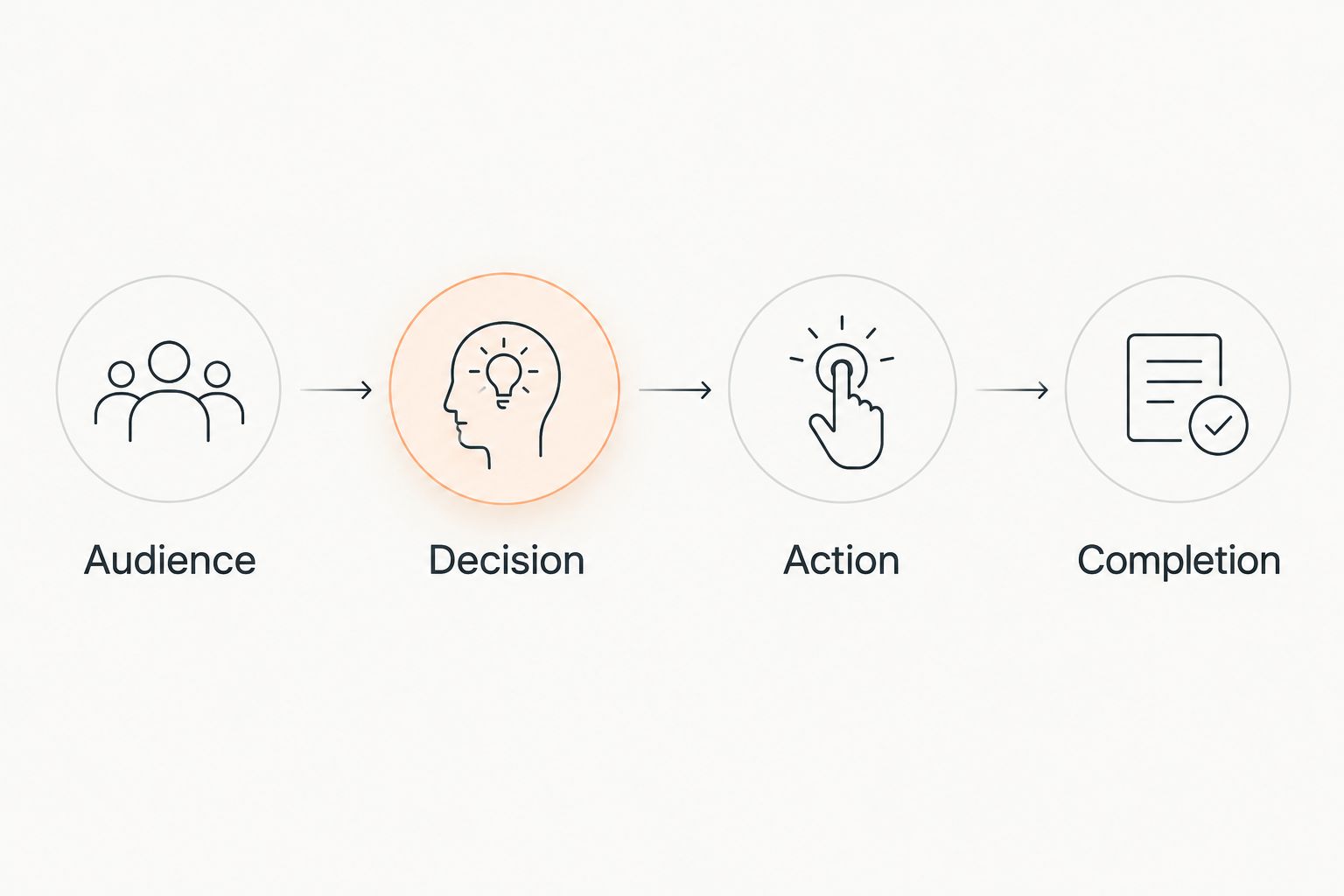
For a 2026 requirements document, record the audience, decision, permitted action, and completion condition together. That makes disagreements visible before configuration begins.
- Audience: Name the role using the table.
- Decision: State what the user must determine.
- Action: Define what the user can change.
- Completion: Describe the successful outcome.
Establish access before configuring columns
Begin with a written access matrix using your existing Salesforce security design. Specify which roles can read records, view sensitive fields, edit values, and invoke actions. Distinguish internal users from external portal users rather than treating a login as sufficient authorization.
Hiding a column is not an access-control strategy. Verify authorization in the data retrieval and update paths, including custom code and automation. A polished interface is not evidence that restricted information is protected.
Create a deliberate test fixture with 3 test accounts: an authorized internal user, a restricted internal user, and an external user when your deployment includes a portal. These are proposed test roles, not a benchmark or a claim about your organization.
- Document record-level access expectations.
- Document field-level read and edit permissions.
- Test row actions under each relevant role.
- Check exports separately from on-screen visibility.
- Confirm unauthorized updates fail outside the interface.
Choose the simplest implementation that fits
First, configure a native Salesforce list view or a basic Screen Flow prototype. Use it to determine whether users need a persistent worklist, a guided decision, or a specialized interaction. Do not add a package merely to reproduce an adequate existing view.
Avonni is best for Salesforce admins building low-code Salesforce UIs. Its component categories include Flow Screen, Dynamic, Experience Cloud, LWC, and App Builder components. Evaluate the relevant category only after identifying where your table must run.
Avonni offers a packaged route for evaluating reusable UI components; the trade-off is a package dependency that needs technical and operational review. Verify the exact table behavior, deployment surface, permissions, and maintenance requirements rather than assuming every component works identically everywhere.
- Prototype the simplest native option first.
- Match the component to its deployment surface.
- Demonstrate every required interaction in a sandbox.
- Review package dependencies with your Salesforce owner.
- Assign responsibility for configuration and upgrades.
Preserve the meaning of financial values
Start with a column dictionary. For each field, record its business meaning, format, source, and treatment when blank. An account balance, an application amount, and a transaction amount are different concepts even when each appears as currency.
For multi-currency workflows, display enough context to distinguish transaction currency from any reporting conversion. Never present a total as meaningful until you have defined which records, currencies, and conversion rules it includes.
Use 20 synthetic records and 2 currencies as a starter test fixture for your 2026 acceptance review. Include blank amounts, negative values, equal amounts in different currencies, and dates near a reporting boundary. Expand the fixture to match the actual workflow; this is not a performance test.
- Label monetary columns with their precise meaning.
- Keep blank values distinct from zero.
- State the basis of calculated totals.
- Define date, time, and time-zone presentation.
- Test numeric sorting rather than formatted-text sorting.
Control edits and bulk actions
First, map the existing update process without changing it. Identify which fields users edit directly, which changes require validation, and which actions must pass through an approval workflow. Then decide where inline editing belongs.
Use inline editing for permitted corrections, not as a shortcut around business controls. When a change needs explanation or review, a guided interaction provides space to collect that context. Bulk actions need equally clear boundaries around eligibility, selection, and failure handling.
Use the Salesforce data table components with inline editing guide to frame the interface comparison. Your acceptance test still needs to prove how the chosen implementation behaves when some records save and others fail.
- Separate editable fields from approval-controlled fields.
- Validate proposed changes before committing them.
- Show which selected records qualify for an action.
- Make partial failures visible at the record level.
- Define whether selection persists across pages and filters.
- Provide a clear confirmation for consequential actions.
Test the full workflow and assign ownership
Start with a manual walkthrough using synthetic data and representative permissions. Test the empty state, a populated view, an unsuccessful save, and a user without access. Record expected outcomes before testing so that acceptance does not depend on whether a demonstration looks convincing.
For the 2026 release checklist, include keyboard operation, readable focus states, narrow-screen behavior, and clear error messages. Test the complete workflow with your expected data shape and volume; a small sample does not establish production responsiveness.
Finish by naming the owner of column changes, permission changes, package updates, and user support. A table becomes an operational dependency once staff rely on it to complete daily work.
- Test search, sorting, filtering, and pagination together.
- Check loading, empty, error, and restricted-access states.
- Test keyboard access to selection and row actions.
- Verify saved changes against the underlying records.
- Retest after relevant configuration or package updates.
- Document escalation and rollback procedures.
Compare implementation options
Choose an option by workflow fit, not by the length of its feature list. The table below distinguishes interface approaches; it does not certify any implementation for a financial-services use case. Your security review and acceptance tests apply to every route.
| Option | Best for | Main advantage | Key limitation |
|---|---|---|---|
| Native Salesforce list view | Internal teams working through a straightforward record list | Starts with Salesforce's existing record-list interface | A list view is not a purpose-built, multi-step workflow |
| Salesforce Screen Flow with a data table | Guided processes that include record selection | Places record selection within a defined sequence | Required table interactions need verification against the selected component |
| Avonni managed components | Salesforce admins building low-code Salesforce UIs | Provides packaged components across several Salesforce UI categories | Exact table capabilities and deployment fit require validation; introduces a package dependency |
| Custom Lightning Web Component | Developer-led teams with specialized interaction requirements | Lets developers implement a purpose-built interface | Your team owns the code, accessibility work, testing, and maintenance |
Best for straightforward internal worklists: start with a native list view. Its advantage is a familiar starting point; its limitation is that a record list does not define a controlled business process.
Best for guided decisions: evaluate Screen Flow. The sequence helps structure user input, but the table remains one part of the workflow rather than the entire solution.
Best for specialized interactions: consider custom development only when a demonstrated requirement justifies it. Control over the interface also means responsibility for its failure states and future changes.
Common mistakes financial services teams make
Treating presentation as financial meaning
A currency symbol does not establish whether an amount is outstanding principal, an approved limit, or a requested amount. Write precise column labels and provide explanatory context where users make decisions. Keep reporting totals separate when the underlying values are not directly comparable.
Letting selection become accidental authorization
Selecting a row should not make that record eligible for every action. Check the user's permissions and the record's current state when the action executes, not only when the table first loads. Explain rejected records without exposing information the user cannot access.
Reusing an internal table in an external portal
An internal operations view and a customer-facing portal serve different audiences. Review every field, action, search result, and error message before exposing a similar workflow externally. Reuse the business definition where appropriate, not the internal audience's assumptions.
Accepting a successful demonstration as approval
A demonstration with unrestricted access and tidy sample data leaves critical behavior untested. Require restricted-role tests, failed updates, ambiguous values, and realistic data volume in your 2026 sign-off. Approve documented outcomes, not visual polish.
FAQ
What's the best way to choose data table components for financial services?
Choose the simplest implementation that meets your access rules, financial-data requirements, and workflow needs. Test the exact deployment surface and required actions before committing to a component.
Is a native Salesforce list view better than a custom data table?
A native Salesforce list view is the better starting point for a straightforward internal record list. A specialized component or custom implementation needs a specific requirement that the simpler approach does not meet.
Who is Avonni best for?
Avonni is best for Salesforce admins building low-code Salesforce UIs. Its subscription includes component categories distributed as AppExchange managed packages; validate the specific table requirements before choosing a package.
Can financial services teams use inline editing safely?
Inline editing belongs only on fields and actions that your access rules and validation process permit. Changes requiring explanation or approval need a workflow that captures that context and enforces the required controls.
Does hiding sensitive columns protect financial records?
No, hiding columns does not replace authorization. Verify record access, field permissions, data retrieval, updates, and exports independently of what the table displays.
How should a financial data table handle multiple currencies?
A financial data table should identify the currency and meaning of each monetary value. Define conversion rules and record scope before displaying combined totals.
What should I test before releasing a Salesforce financial table?
Test permissions, financial formatting, sorting, selection, failed saves, and the complete user workflow. Include keyboard operation and representative data volume rather than relying on a small demonstration.
One last thing
Write the failure message before approving the action. If your team cannot explain what users should do after a rejected update, the workflow is unfinished. A useful table does more than display successful records: it gives users a clear next step when work stops.