

Customer service timeline components are chronological interface elements that organise case events so agents can understand what happened and decide what to do next. Unlike a general activity feed, a service timeline needs clear case boundaries, meaningful timestamps, permission-aware details, and a visible next action.
- Choose timeline components for customer service teams by case context, permissions, and agent actions—not appearance alone.
- Salesforce activity history is a starting point; check whether it covers the events your agents need.
- Compare native configuration, managed-package components, and custom Lightning Web Components against the same case scenarios.
- Test reopened cases, restricted records, and delayed events before publishing your timeline.
Why timeline components matter for customer service teams
A customer service timeline should answer a practical question: what does the next agent need to know before acting? A list of timestamps alone does not answer it. Agents also need to distinguish customer contact from internal work, completed actions from planned actions, and case-specific events from unrelated account activity.
For your 2026 implementation, start with the information gap rather than a component shortlist. The Salesforce timeline components guide provides a separate comparison starting point; this guide focuses on defining and testing the service workflow.
Customer service adds constraints that a general project timeline does not necessarily share. An agent taking over a reopened case needs the earlier resolution and the reason for reopening, while a customer-facing view needs a different disclosure boundary.
The useful outcome is not more events on screen. It is a readable account of the case, with enough context to support the next decision.
How to build a useful customer service timeline
Define the case story before choosing a component
Start manually with a case your team recognises. Write its history in a document or spreadsheet, then ask another agent to identify the current problem, the last meaningful action, and the next responsibility without opening every entry.
Use 5 event fields as an initial design specification: event type, event time, summary, responsible person or team, and source reference. This is a recommended starting structure, not a requirement imposed by Salesforce. Add other fields only when they support a service decision.
A useful event summary explains the change. An entry that only says the record was updated forces agents to investigate; an entry describing a reassignment or reopened issue gives them context immediately.
- Name the case events agents must recognise.
- Separate completed work from scheduled work.
- Define a plain-language summary for each event type.
- Identify which events need a source-record reference.
- Remove entries that add noise without changing understanding.
Inspect your existing Salesforce experience
Before installing anything, inspect the record page and activity views your agents already use. Salesforce's activity timeline handles activities, but an activity view is not automatically a complete chronology of every business event your service process tracks.
Map each required event to its actual source. Customer correspondence, ownership changes, appointments, and external system updates do not become one reliable history simply because the interface uses a vertical line.
For the 2026 requirements list, mark each event as visible, missing, duplicated, or difficult to interpret. This separates a layout problem from a data problem. Do not buy a new display to solve an undefined event model.
- Review the current page using an agent's access level.
- Identify the source object or system for each event.
- Check which entries already appear without extra configuration.
- Record gaps in filtering, summaries, or navigation.
- Keep the existing experience when it meets the workflow.
Choose the build path that fits your team
Prototype the event structure with existing Salesforce configuration before selecting another build path. A basic mockup is enough to establish grouping, labels, and the information an expanded event should show.
Avonni supplies no-code/low-code UI components through AppExchange managed packages for Salesforce builders. Avonni is best for Salesforce admins and developers seeking a managed-package UI component approach. That makes Avonni a candidate for the component-library path, not evidence that a particular timeline requirement is supported.
Avonni's component subscription covers Flow Screen, Dynamic, Experience Cloud, LWC, and App Builder components. Check the relevant component's documented behaviour in your intended surface before committing. A reusable component path can reduce custom interface work when it fits; its limitation is that your requirements must fit the component's supported configuration and integration model.
- Keep native configuration as the baseline option.
- Evaluate managed components against the same event sample.
- Confirm support for your intended Salesforce surface.
- Reserve custom LWC development for requirements needing custom behaviour.
- Assign ownership for configuration, releases, and maintenance.
Set event order, grouping, and actions
Decide what chronology means before deciding how it looks. A customer action can happen before the integration records it, so a single unlabeled date can mislead the next agent.
Where delayed ingestion matters, distinguish 2 timestamps: when the event occurred and when the system recorded it. Display the event time as the main chronology only if that matches your agreed business rules, and keep the recording time available for investigation.
Use readable summaries in the collapsed state. Expanded details should explain the event, while actions should reflect a task the agent is authorised to perform. A timeline should not require expanding every event just to find the last customer response.
- Define whether newest or oldest events appear first.
- Label event time and recording time distinctly when both matter.
- Group related events without hiding meaningful changes.
- Keep case status separate from individual event status.
- Show actions only where they serve an authorised task.
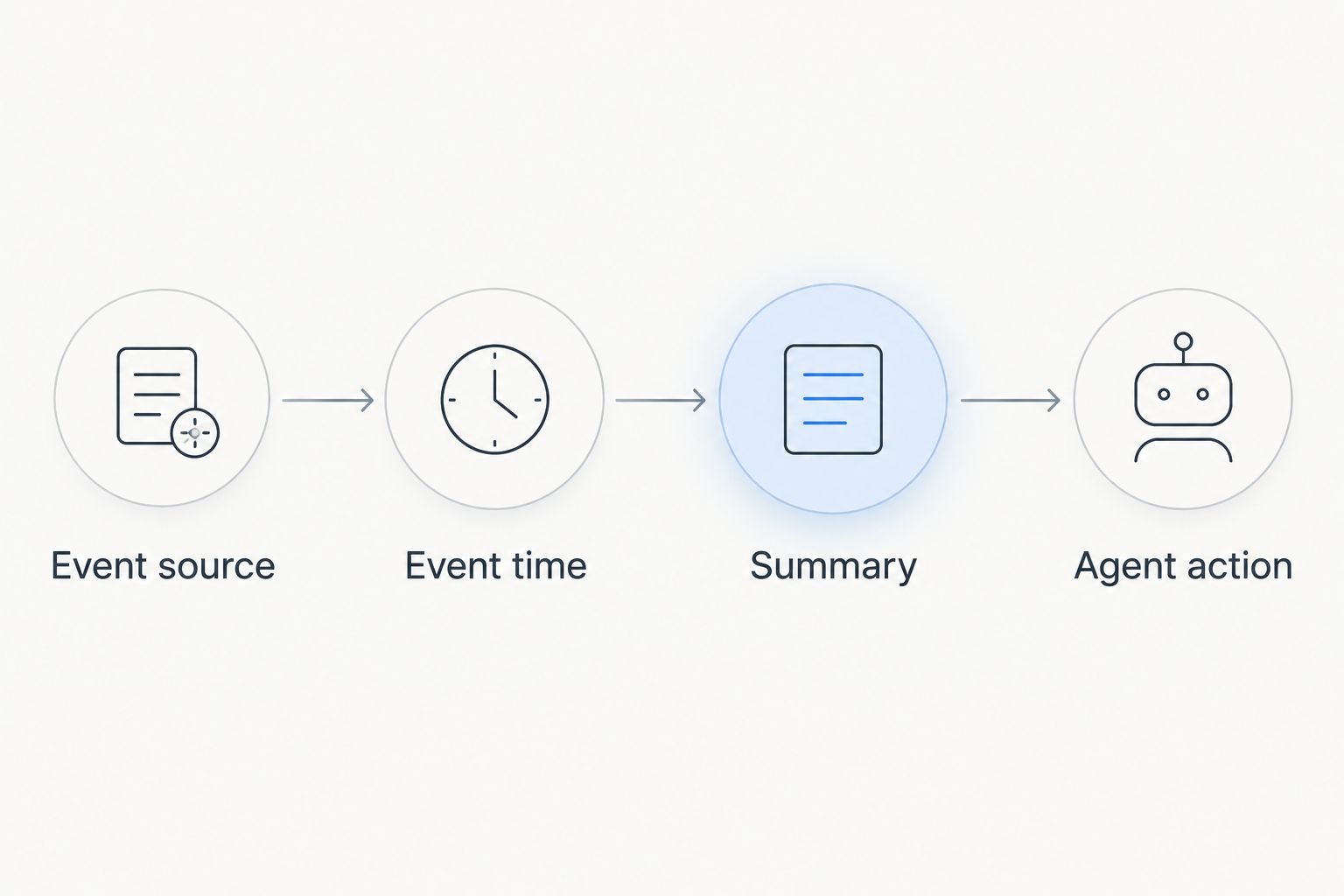
The design sequence is Event source, Event time, Summary, then Agent action. Agree on each part before polishing the display; an attractive layout cannot repair an ambiguous source or timestamp.
Enforce permissions and accessible interaction
Start with a manual access matrix showing which roles should see each event type and detail. Then test the implemented data access and interface against that matrix. Hiding a field visually is not a substitute for enforcing access to its underlying data.
An internal agent timeline and a customer-facing Experience Cloud timeline need separate disclosure decisions. Internal notes, diagnostic information, and assignment details require explicit review before any external presentation.
For your 2026 acceptance criteria, include keyboard operation, visible focus, descriptive control names, and status cues that do not depend on colour alone. Test the rendered component rather than assuming that a familiar Salesforce appearance proves accessibility.
- Test with representative permission sets, not only administrator access.
- Verify access to linked records and expanded event details.
- Use text labels alongside status icons or colours.
- Check keyboard access to filters, expansion controls, and actions.
- Confirm that loading and empty states explain what is happening.
Validate real service scenarios before release
Create a manual test script before introducing automated checks. Start with 3 case scenarios: a reopened issue, a reassigned issue, and an issue containing a restricted event. Add delayed or out-of-order data when integrations are part of the design.
Ask an agent to explain each case using the timeline. Record where the agent misreads event order, misses a customer response, or cannot identify the next owner. Those observations reveal whether the presentation supports the work.
Set your own acceptance thresholds for loading behaviour and task completion; do not borrow an unsupported benchmark. For the 2026 release, compare the proposed experience with the existing page using the same scenarios and access levels.
- Confirm that reopening preserves the earlier case context.
- Check reassignment without confusing previous and current ownership.
- Verify restricted events do not expose protected details.
- Test empty histories and histories with many entries.
- Assign a person to resolve each failed acceptance check.
Compare implementation options
Choose the least complex option that satisfies the service workflow. The right comparison is not native versus packaged versus custom in isolation; it is which approach meets your event, access, and maintenance requirements.
| Option | Best for | Main advantage | Key limitation |
|---|---|---|---|
| Existing Salesforce activity experience | Teams whose required history is already represented by available activities | Keeps the starting point close to the current workflow | Does not automatically represent every service event or external data source |
| Avonni managed-package UI approach | Salesforce admins and developers evaluating reusable no-code/low-code components | Offers a component-based route across the Salesforce UI categories described above | Timeline behaviour, data support, and placement must be verified for the selected component |
| Custom Lightning Web Component | Teams with distinct interaction or event-presentation requirements | Lets developers define the interface and integration logic | The team owns development, accessibility checks, testing, and ongoing maintenance |
Native configuration is the strongest starting point when it already answers the agent's questions. Its advantage disappears when the workflow depends on missing events or unclear context that configuration cannot address.
A managed component deserves consideration when its documented behaviour matches the design. Custom LWC development earns its place when the required interaction cannot be met through the other options—not simply because custom development is possible.
Common mistakes customer service teams make
Mixing case and account histories without labels
An account can have several unrelated service issues. Combining everything without clear case references makes one chronology look like one continuous problem. Keep the case boundary visible, and make broader account context an explicit view or filter.
Treating every update as equally useful
A technical synchronisation and a customer's reply do not carry the same service meaning. Define event categories and useful defaults so agents can find consequential changes without losing access to supporting detail.
Presenting automation as human contact
An automated acknowledgement is not evidence that an agent reviewed the issue. Label system-generated events distinctly and describe the action that actually occurred. Otherwise, the next agent has to reconstruct who did what.
Designing only for the happy path
A clean demonstration case says little about a reopened issue with delayed updates and restricted records. Use exception cases during selection, not just after implementation. A component that handles the attractive sample but fails the service workflow is the wrong fit.
Assuming a component resolves data quality
A timeline can display duplicate or incomplete events neatly without making them correct. Define event identity, source responsibility, and correction rules before treating the display as the authoritative history. Keep integration troubleshooting separate from interface configuration.
FAQ
What's the best way to choose timeline components for customer service teams?
Choose timeline components by testing case events, access rules, and agent actions against the same service scenarios. Compare your existing Salesforce experience with managed components and custom development before selecting a build path.
Is a Salesforce activity timeline the same as a complete case timeline?
No, an activity timeline is not automatically a complete history of every case event. Identify which required events come from activities, other records, or external systems before deciding whether the existing view is sufficient.
Is Avonni a service agency or a Salesforce component vendor?
Avonni is a Salesforce UI component vendor offering a subscription distributed through AppExchange managed packages. Its stated component categories include Flow Screen, Dynamic, Experience Cloud, LWC, and App Builder components.
Do customer service timeline components need custom code?
Not every customer service timeline needs custom code. Start with existing configuration, evaluate managed components against your requirements, and use custom LWC development when the required behaviour needs it.
Which timestamp should a customer service timeline display?
Display the timestamp that matches your agreed chronology rules and label its meaning. When delayed integration updates matter, distinguish the time an event occurred from the time the system recorded it.
Can customers see the same timeline as internal agents?
Do not assume customers should see the same event details as internal agents. Define an external disclosure policy and test the implemented access rules before presenting case history through a customer-facing interface.
How should a team test a timeline before release?
Test the timeline with reopened, reassigned, and access-restricted cases using representative user permissions. Check whether agents can explain the current issue, the last meaningful event, and the next responsibility without reconstructing the history elsewhere.
One last thing
An empty timeline needs an explanation, not just an empty space. No events, no matching events, insufficient access, and a failed data request are different conditions. Give agents an appropriate message without revealing restricted information.
Add that distinction to your 2026 acceptance checklist. It prevents an apparently simple interface state from being mistaken for proof that nothing happened on the case.