
Choose Avonni if your team needs configurable Salesforce UI components across Flow screens, App Builder, LWC, and Experience Cloud; choose Advanced Communities if your priority is an Experience Cloud portal project supported by specialist applications and implementation services. The distinction in 2026 is component-level control versus portal-focused delivery—not simply which supplier has the longer feature list.
- Avonni vs Advanced Communities compares Salesforce UI component building with Experience Cloud-focused applications and services.
- Choose Avonni for admins and developers building interfaces across several Salesforce surfaces.
- Choose Advanced Communities when an Experience Cloud portal and implementation support define the project.
- Compare ownership, workflow fit, and written commercial terms before choosing either approach.
Why this matters
A Salesforce interface project can require configurable building blocks, a packaged business application, implementation help, or a combination. Treating these as interchangeable purchases creates an incomplete brief: a component library does not replace process design, and implementation services do not automatically give administrators reusable UI building blocks.
For a 2026 buying decision, define the outcome before comparing suppliers. Separate the interface your users need from the work required to configure, secure, release, and maintain it. That distinction makes the comparison useful to administrators, developers, ISVs, and portal owners alike.
At a glance
| Dimension | Avonni | Advanced Communities |
|---|---|---|
| Best for | Salesforce admins and developers assembling interfaces | Teams delivering an Experience Cloud portal |
| Project scope | Flow Screen, Dynamic, Experience Cloud, LWC, and App Builder components | Experience Cloud-focused applications and services |
| Standout approach | Subscription-based no-code/low-code UI components | Portal-focused software and implementation expertise |
| Internal workflows | Direct fit when the requirement is configurable Salesforce UI | Evaluate when the internal work supports a portal project |
| Portal delivery | Component-building approach within Experience Cloud | Stronger fit when portal implementation is central |
| Ownership | Your team must define configuration and maintenance responsibilities | Define the division between your team and implementation specialists |
| Security and acceptance | Test permissions and behaviour in your implementation | Test permissions and behaviour in your implementation |
| Pricing model | Component subscription; confirm the applicable terms | Confirm application licensing and any separately scoped services |
The table describes buying fit, not a feature-by-feature certification. Require demonstrations of the exact workflow you intend to deploy before treating either option as a replacement for the other.
Component breadth wins for cross-surface Salesforce UI work
Avonni is best for Salesforce teams that need configurable UI components across multiple Salesforce surfaces. Its stated scope includes Flow Screen, Dynamic, Experience Cloud, LWC, and App Builder components, distributed as AppExchange managed packages.
That scope fits a team whose backlog includes internal screens alongside external-facing interfaces. Start by identifying where each interface runs, who configures it, and which interactions require custom development. Then evaluate the component offering against those requirements rather than against a general portal demonstration.
The benefit is a component-level starting point for your own implementation. The tradeoff is responsibility: your team still needs to decide how the interface supports the process, which data it exposes, and what happens when users encounter an exception.
Advanced Communities is the more relevant comparison when those interfaces belong to a wider Experience Cloud programme. Do not select a portal-focused supplier solely because an internal screen needs improvement; first establish whether the wider portal scope actually exists.
Advanced Communities wins when portal delivery defines the project
Advanced Communities is the better fit when your main requirement is an Experience Cloud portal with specialist implementation support. Its Experience Cloud focus makes it relevant when the buying brief extends beyond selecting UI components.
A portal brief should describe user journeys, access rules, business processes, and ongoing administration. Ask Advanced Communities to demonstrate the relevant application and identify which work belongs to packaged functionality, configuration, or implementation services. Those boundaries determine what you are buying.
The advantage of this route is alignment with a portal-centred project. The tradeoff is that a portal solution must still be assessed against your wider Salesforce interface needs; a successful portal demonstration does not establish suitability for every internal Flow or App Builder requirement.
For a 2026 portal procurement, request an explicit scope of delivery. Name the journeys included, the decisions your team retains, and the changes that require additional implementation work.
Flow-screen requirements favour the component-first approach
If your immediate problem is a Salesforce Flow screen, evaluate the screen interaction first. A portal-wide buying process is unnecessary unless the Flow belongs to a broader portal requirement.
Use your existing process as the demonstration brief. Ask how the proposed interface handles the records, inputs, decisions, and error conditions your users encounter. A polished example using unrelated data does not answer whether your workflow is supported.
The Salesforce Flow Screen component libraries guide provides a narrower comparison route for this requirement. Keep the evaluation focused on the component's role inside the Flow, not on unrelated portal capabilities.
The component-first route wins when the deliverable is a configurable screen rather than a portal programme. Its limitation is equally clear: selecting a screen component does not complete the surrounding process design. Assign responsibility for validation, permissions, deployment, and support before approving the implementation.
Advanced Communities wins when implementation support is decisive
A team can know the experience it wants without having the capacity to deliver it. In that situation, implementation support is part of the purchase—not an optional detail after software selection.
Advanced Communities belongs on the shortlist when you want an Experience Cloud specialist involved in delivery. Ask for a responsibility matrix covering requirements, configuration, development, testing, release, and handover. Evaluate the proposed engagement against that matrix.
The advantage is access to a portal-focused delivery option. The limitation is dependency: if an external team owns important configuration decisions, your administrators need a clear handover and a defined route for subsequent changes.
Choose the delivery model your team can operate after launch. A component subscription suits a team prepared to build and maintain its interfaces; a services-led engagement suits a team purchasing implementation help alongside software. Neither arrangement removes the need for an internal owner who can approve requirements and acceptance results.
Neither approach wins security without implementation testing
Security is an acceptance requirement, not a supplier-level victory. Salesforce access depends on how your solution handles users, records, fields, sharing, and execution context. A feature demonstration is not evidence that your own configuration meets those requirements.
Test with 2 user roles: one permitted to perform the action and one restricted from it. This is an evaluation starting point, not a complete security test plan. Include additional roles wherever your actual access model requires them.
For Experience Cloud, distinguish authenticated access from guest access wherever either appears in the proposed design. For internal interfaces, confirm that users cannot view or change information outside their assigned permissions.
Both approaches need documented expected behaviour and observable test results. Reject a demonstration that relies entirely on an administrator account. The supplier that best explains the access model has provided useful evidence; the supplier name alone has not.
Both require a named owner for changes
An interface is not finished when its first release works. Business rules change, users request different information, and administrators revise the surrounding Salesforce configuration.
Neither buying route eliminates maintenance. With components, establish who updates configuration and checks affected workflows. With an implementation engagement, establish what your team can change independently and what requires further supplier involvement.
Use a real change request during evaluation: add a field, revise a validation rule, or alter the sequence of a user journey. Ask the proposed owner to explain the required work and the release checks.
This is an honest tie. Long-term control comes from explicit ownership and a workable change process, not from choosing components or services in isolation. Record those responsibilities in your 2026 decision document so the launch team and the maintenance team share the same expectations.
Pricing: separate the subscription from implementation work
Avonni sells its no-code/low-code Salesforce UI components through a subscription. Assess the applicable commercial terms alongside the internal effort required to configure, test, release, and maintain your implementation.
For Advanced Communities, obtain terms for the relevant application and any implementation services. Ask whether each item is recurring, one-off, usage-dependent, or scoped to a defined deliverable. Do not assume every application or engagement uses identical terms.
Compare the same outcome on both sides. A software subscription and a portal implementation proposal cover different responsibilities unless you explicitly align their scope.
Your commercial checklist should include:
- Entitlement: which components, applications, environments, and users the agreement covers.
- Delivery: which configuration and implementation tasks are included.
- Support: who handles defects, questions, and requested changes.
- Continuity: what happens at renewal, termination, or a change of implementation partner.
Predictability comes from clear scope, not from the billing label alone. Keep recurring software commitments separate from delivery work so you can evaluate each decision on its own terms.
Validate the choice with your own workflows
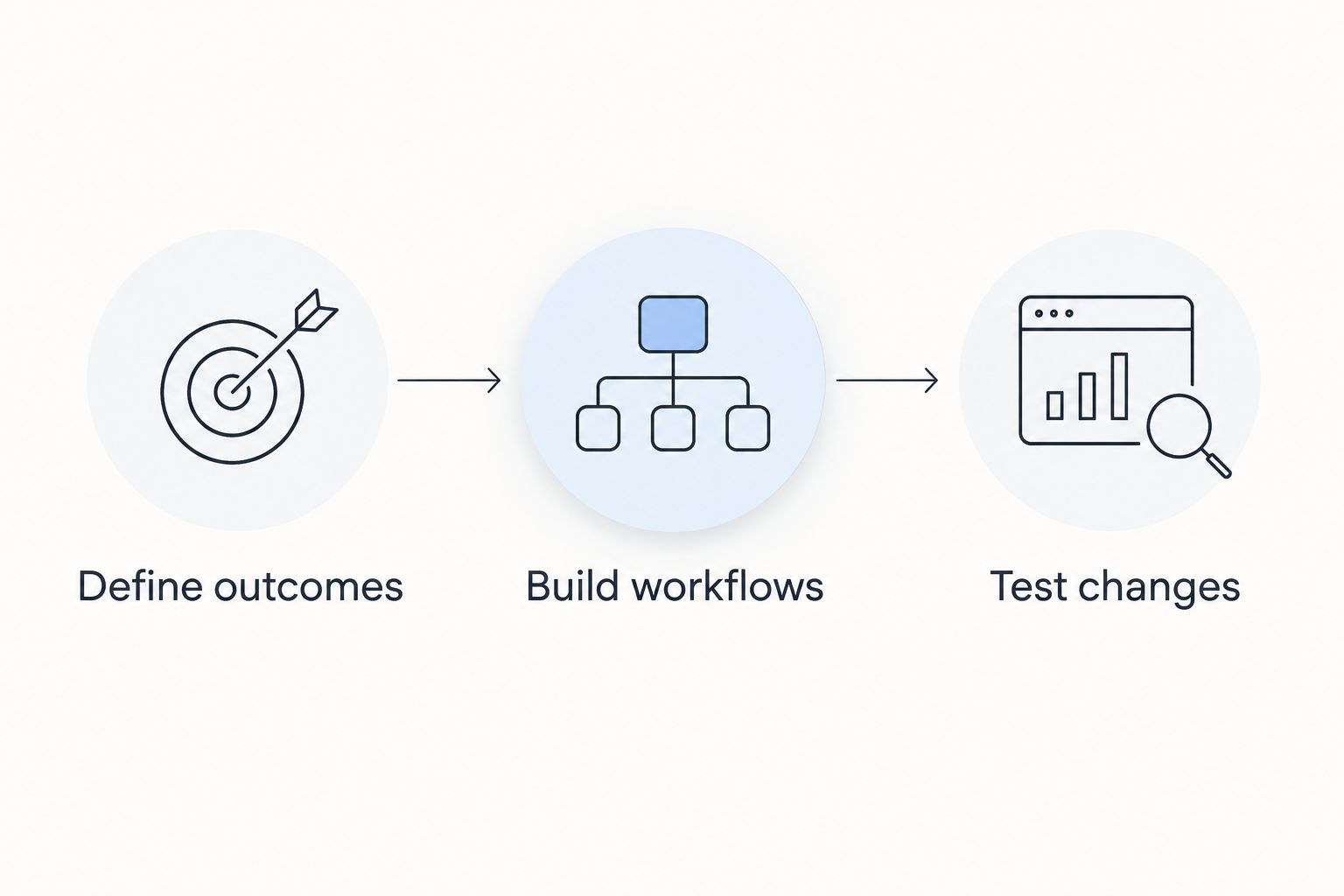
Use 3 workflows to test the recommendation: an internal Salesforce task, an external portal journey, and a post-launch change. These are evaluation scenarios, not claims about either supplier's capabilities.
- Define outcomes. Describe the user, starting state, successful result, and unacceptable behaviour for each workflow. Keep the same acceptance criteria for both proposals.
- Build workflows. Ask each supplier to demonstrate the relevant workflow and identify what comes from its offering versus custom work or another dependency.
- Test changes. Change a requirement after the demonstration. Establish who makes the adjustment, how it is released, and what needs retesting.
Record a pass, a gap, or a dependency for every requirement. Avoid an overall impression score that lets attractive presentation outweigh an unresolved permission rule or an unclear maintenance responsibility.
For your 2026 decision, choose the proposal that covers the required workflows with a delivery model your team can sustain. A smaller, clearly defined scope is more useful than an expansive demonstration with unresolved responsibilities.
Final verdict: choose by the work you are buying
Choose Avonni if you own the Salesforce UI build
Best for: Salesforce administrators, developers, ISVs, and partners buying configurable UI building blocks. Choose this route when your team needs components across supported Salesforce surfaces and intends to own the implementation.
The tradeoff is responsibility for the finished experience. Confirm component fit, assign configuration ownership, and test the complete workflow rather than treating installation as project completion.
Choose Advanced Communities if you are commissioning a portal
Best for: Experience Cloud programme owners buying portal-focused applications and implementation expertise. Choose this route when the external user journey and delivery engagement define the brief.
The tradeoff is the need to define application scope, service responsibilities, and handover. Confirm that the proposal covers your actual portal requirements rather than assuming a packaged application matches every business process.
| Dimension | Winner |
|---|---|
| Cross-surface Salesforce UI building | Component-first approach |
| Experience Cloud-centred project | Advanced Communities |
| Flow-screen-first requirement | Component-first approach |
| Portal implementation support | Advanced Communities |
| Security acceptance | Tie: implementation testing decides |
| Ongoing ownership | Tie: responsibility must be assigned |
| Commercial predictability | No automatic winner; compare written scope |
FAQ
Is Avonni better than Advanced Communities for Salesforce UI components?
Avonni is the better fit when you need configurable Salesforce UI components across Flow Screen, Dynamic, Experience Cloud, LWC, and App Builder. Advanced Communities is the stronger fit when an Experience Cloud portal and implementation support define the project.
Which option should a Salesforce administrator evaluate first?
A Salesforce administrator buying configurable UI building blocks should evaluate the component-first option first. An administrator responsible for a wider portal programme should also evaluate the application and implementation scope offered by Advanced Communities.
Is Advanced Communities the better choice for Experience Cloud?
Advanced Communities is the better fit when Experience Cloud portal delivery is the central requirement. If you only need UI components within an existing portal, evaluate the component requirement separately from implementation services.
Can a component library replace a portal implementation partner?
A component library does not replace implementation responsibilities. Your team still needs ownership of requirements, permissions, configuration, testing, deployment, and maintenance.
How should I compare the commercial models?
Separate recurring software commitments from implementation work and ongoing support. Request written terms covering entitlement, delivery responsibilities, renewal, and changes so both proposals address the same outcome.
What should I ask each supplier to demonstrate?
Ask each supplier to demonstrate your own workflow, access restrictions, and a subsequent change request. Record which requirements are handled by the offering, custom work, or another dependency.
Can either option bypass Salesforce permission testing?
Neither option removes the need for Salesforce permission testing. Validate the proposed implementation with users who have different access rights, including restricted users.
One last thing
Ask the person who will maintain the interface—not just the person presenting it—to explain the first change after launch. That conversation exposes the real boundary between software, services, and your team's responsibilities.
Approve the ownership plan alongside the interface. A working demonstration answers whether a workflow can be built; a clear maintenance plan answers who keeps it working.