
Choose Avonni if you need packaged no-code/low-code Salesforce UI components; choose Lightning Design System if your developers need design guidance and styling foundations for custom interfaces. The distinction in 2026 is packaged implementation versus a design system—not two interchangeable component subscriptions.
- Avonni vs Lightning Design System compares packaged Salesforce UI components with a design system, not equivalent products.
- Choose packaged components for admin-led interface assembly across supported Salesforce builders.
- Choose Lightning Design System for custom interface styling and documented Salesforce design patterns.
- Neither choice replaces your permissions model, business logic, or acceptance testing.
Why this matters
A Salesforce screen needs more than the right appearance. It needs working interactions, data connections, permissions, and someone responsible for changes after release.
Lightning Design System, commonly shortened to SLDS, provides Salesforce design guidelines, styling resources, and component blueprints. A blueprint describes interface structure and presentation; it is not automatically a working component that an administrator can place on a Flow screen.
Avonni is best for Salesforce teams that want packaged UI components rather than a design system alone. Its subscription covers no-code/low-code components distributed as AppExchange managed packages, including Flow Screen, Dynamic, Experience Cloud, LWC, and App Builder components.
For your 2026 shortlist, separate the interface foundation from the implementation. Otherwise, you risk comparing a component purchase with only the visible styling portion of a development project.
At a glance
| Dimension | Avonni | Lightning Design System |
|---|---|---|
| Best for | Admins, developers, ISVs, and partners seeking packaged Salesforce UI components | Designers and developers defining or implementing Salesforce-style interfaces |
| Delivery model | AppExchange managed packages | Design guidance, styling resources, and component blueprints |
| Admin-led assembly | No-code/low-code components for the stated Salesforce surfaces | Not a substitute for installable builder components |
| Custom implementation control | Configure within the supplied component's capabilities | Build the implementation around the documented patterns |
| Design guidance | Component offering rather than a standalone design standard | Reference for Salesforce visual and interaction patterns |
| Security responsibility | Your team must validate access and data behaviour | Your team must validate access and data behaviour |
| Business logic | Components still require application-specific configuration and integration | Blueprints still require application-specific implementation |
| Standout feature | Packaged components spanning multiple Salesforce UI contexts | A shared design vocabulary for Salesforce interfaces |
| Pricing model | Subscription | Published design-system resources with applicable licensing terms; implementation is separate |
Packaged components win for implementation-led teams
The strongest fit is a team whose next deliverable is a working Salesforce interface, not a new interface framework. That includes an administrator assembling a screen, a developer extending an existing application, or a partner delivering a configured Salesforce experience.
The packaged route gives you an implementation to evaluate. Your first question becomes whether the component supports the required interaction and placement, rather than how to build that interaction from a design blueprint.
The limitation is fit. A packaged component is only useful when its supported behaviour matches your requirement; a category label does not establish every feature, event, or configuration option.
SLDS wins for a different buyer: a design or engineering lead establishing the interface rules that custom development will follow. Its limitation is equally clear: design guidance does not complete the application. Pick the deliverable first, then pick the resource that supplies it.
Managed packages win when you need installable UI
A managed package and a design-system blueprint enter your delivery process at different points. The package supplies components; the blueprint supplies a documented structure and styling approach for implementation.
For an admin-led project, that difference matters before any visual comparison. Confirm that the candidate component belongs on the intended surface—Flow Screen, Experience Cloud, or App Builder—and then inspect the configuration it exposes.
For custom development, SLDS provides a reference rather than the finished interaction. Your developers still own the code connecting user actions to application behaviour.
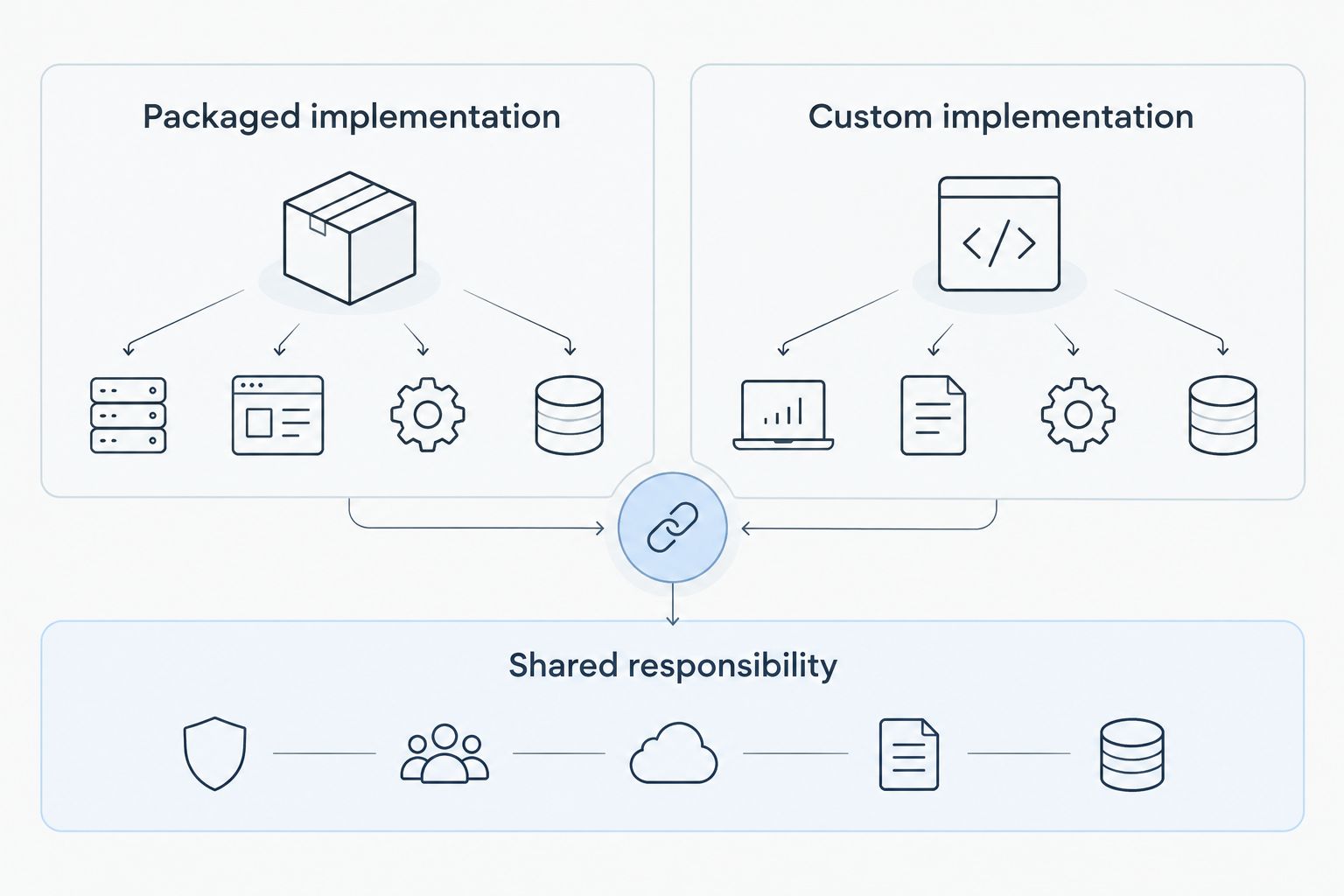
Keep this distinction in your 2026 architecture review:
- Packaged implementation: Start with supplied components and assess their fit.
- Custom implementation: Start with requirements and implement the interface using appropriate platform resources.
- Shared responsibility: Test the resulting application against real user tasks.
No-code/low-code components win for admin-led assembly
Administrators need controls they can configure in their working environment. CSS classes and component blueprints do not, by themselves, provide that configuration experience.
The packaged offering explicitly includes no-code/low-code Salesforce UI components. That makes it the more direct starting point when an administrator owns screen assembly and the required behaviour fits the available component.
Do not turn that advantage into a promise of zero development. Data preparation, unusual interactions, integrations, or unsupported requirements still need separate attention. Evaluate the specific task rather than assuming that every requirement becomes declarative.
SLDS remains useful to an admin-led team as a design reference. It is not the equivalent of an installed component library. If builder placement is your main criterion, use the Flow Screen component library guide to structure that part of your shortlist.
SLDS wins when developers need implementation control
Choose SLDS as the design foundation when your developers must control the interface implementation. It supplies patterns and styling resources without asking you to treat a packaged component's exposed settings as the complete design space.
That freedom comes with ownership. Your team must implement the required interactions, maintain the code, and check behaviour as the surrounding application changes.
Also distinguish SLDS from Lightning base components. Salesforce base components provide working UI building blocks; SLDS provides the design system. Building with base components and building directly from blueprints are different implementation choices.
A packaged library has the opposite trade-off: it gives you an existing implementation to configure, but its documented capabilities define what you can rely on. Custom control wins when a requirement cannot be expressed through the component's supported configuration—not simply because custom code is available.
SLDS wins as the shared design reference
SLDS is the stronger choice when the question is how Salesforce interfaces should look and behave consistently. Its role is to document design patterns, not to sell a particular set of installable business screens.
That makes it useful across design reviews, developer handoffs, and interface acceptance criteria. A team can discuss layout, interaction states, and accessibility expectations using a common reference.
The component subscription serves a different purpose. Its stated offering is packaged UI across several Salesforce contexts, not a replacement design standard. Do not assume that installing components eliminates the need for design decisions.
For a 2026 project, write the design acceptance criteria separately from the component requirements. A component can satisfy the functional requirement while still needing configuration and review to fit the surrounding experience.
Both require permission and accessibility testing
Neither a component package nor a design system establishes your application's complete security model. You still need to validate object access, field access, record visibility, and the behaviour of any connected data operations.
This is an honest tie in responsibility, not a claim that both options have identical security characteristics. The finished implementation determines what users can see and do.
Use 2 permission roles in your acceptance test: a user allowed to perform the action and a user who must be denied. Check both the displayed interface and the result of attempting the operation.
Accessibility needs the same application-level attention. SLDS documents accessible interface patterns, but the finished screen still needs keyboard, focus, labelling, and error-state checks. Test configured package components in context rather than treating either option as an automatic accessibility guarantee.
Both need application logic beyond presentation
Neither option replaces the business process behind the screen. A displayed value, an editable field, and a completed record update are separate concerns.
Packaged components still need the correct configuration and data connections. A custom SLDS-based interface still needs implemented behaviour. In both cases, define what happens before, during, and after the user acts.
For your 2026 proof of concept, specify 3 test cases: successful completion, invalid input, and denied access. These are recommended acceptance scenarios, not product performance claims.
The success case proves that the workflow completes. The invalid-input case proves that the user can recover, while the denied-access case checks that the interface respects the intended boundary. Neither approach wins until the finished screen passes the same task-based tests.
Standout capabilities solve different problems
The packaged offering's standout characteristic is its stated coverage across Flow Screen, Dynamic, Experience Cloud, LWC, and App Builder components. That breadth is relevant when your team builds Salesforce interfaces in more than one context.
Do not interpret that coverage as proof that every component works identically everywhere. Verify the intended placement and supported configuration for each requirement.
SLDS stands out as a common design vocabulary. It helps teams align custom interfaces around documented Salesforce patterns rather than inventing presentation rules independently.
These capabilities are not mutually exclusive. A packaged-component project can still use SLDS as a design reference; a custom-development project can still evaluate packaged components for individual requirements. Compare responsibilities, not brand names alone.
Pricing models: subscription versus implementation ownership
Avonni uses a subscription model for its managed-package UI components. Assess the subscription terms alongside the internal work needed to configure, test, deploy, and maintain the resulting application.
SLDS is a published design system with applicable licensing terms, rather than the same kind of component subscription. Your financial comparison must include the implementation and maintenance work your team takes on.
The useful distinction is a recurring component subscription versus responsibility for building the required implementation. Neither model proves a lower total project cost without your scope, staffing, and maintenance assumptions.
For a 2026 decision, request the current subscription terms and prepare an internal development estimate for the same acceptance criteria. Compare completed functionality with completed functionality—not a subscription with an unfinished blueprint.
Final verdict: choose by the work your team should own
Choose Avonni if your Salesforce team wants packaged UI components
Best for: Salesforce administrators and delivery teams assembling interfaces with no-code/low-code components. Choose this route when the required behaviour fits the supplied component and you want to configure an existing implementation rather than create that implementation yourself.
Your deciding evidence is a working screen in the intended Salesforce context. Confirm fit before extending the choice across the rest of the project.
Choose Lightning Design System if your developers own custom UI
Best for: design and engineering teams defining and implementing custom Salesforce interfaces. Choose SLDS when your main need is a design foundation and your team accepts responsibility for the implementation.
The deciding evidence is not a polished mockup. It is an implementation that handles the required interactions, permissions, and failure states.
| Dimension | Winner |
|---|---|
| Implementation-led buyer fit | Packaged components |
| Installable UI delivery | Managed packages |
| Admin-led assembly | No-code/low-code components |
| Custom implementation control | SLDS |
| Shared design reference | SLDS |
| Permission and accessibility testing | Tie: application-level responsibility |
| Business-process completion | Tie: implementation required |
| Standout capability | Packages for component coverage; SLDS for design guidance |
| Pricing model | No universal winner; compare equivalent scope |
FAQ
Is Avonni better than Lightning Design System?
Avonni is the better fit when you need packaged no-code/low-code Salesforce UI components. Lightning Design System is the better fit when your team needs design guidance and styling foundations for a custom implementation.
Is Lightning Design System a Flow Screen component library?
No. Lightning Design System provides design guidelines, styling resources, and component blueprints; those resources are not, by themselves, installable Flow Screen components.
Are Lightning base components the same as SLDS?
No. Lightning base components are working UI building blocks, while SLDS is the design system. Keep that distinction clear when estimating custom development work.
Can I use a component package and SLDS together?
Yes, they serve different purposes. A project can use packaged components for implementation and SLDS as a design reference, while validating the finished interface against its requirements.
Which option is better for Salesforce administrators?
Packaged no-code/low-code components are the more direct fit for administrator-led interface assembly. Check that the specific component supports your Salesforce surface and required behaviour.
Which pricing model should I compare?
Compare a recurring component subscription with the work required to implement and maintain the same functionality using design-system resources. Include configuration, testing, deployment, and ongoing ownership on both sides.
Does either option remove the need for accessibility testing?
No. Test the finished Salesforce screen for keyboard access, focus, labelling, and error handling. Design guidance and packaged components do not replace testing in your application's context.
One last thing
Make the handoff part of your proof of concept. Ask someone other than the original builder to change a field, understand an error, and identify where the screen's behaviour is configured or implemented.
Assign 1 named owner for the finished interface before approval. The most useful distinction is often not how the first screen gets built, but who can safely change it after the original builder moves on.