
Best starting point for service messaging in 2026: Salesforce Enhanced Web Chat; best for a bespoke conversation interface: a custom Lightning Web Component (LWC). Best for the surrounding Experience Cloud interface: Avonni, which supplies UI components rather than a substitute for a messaging service.
- The best Salesforce chat component for Experience Cloud depends on whether you need service messaging or a custom interface.
- Choose Salesforce Enhanced Web Chat when your requirement is customer messaging connected to Salesforce service workflows.
- Choose a custom Lightning Web Component when conversation behaviour requires development ownership.
- Treat a portal UI component library as supporting infrastructure, not proof of a complete chat service.
Why this matters
A chat window is only the visible part of a conversation system. Your Experience Cloud site also needs somewhere to send messages, rules for who can read them, and a defined response when nobody is available to answer.
For a 2026 shortlist, separate messaging delivery, conversation presentation, and surrounding portal UI. These options solve different problems. Buying an interface component does not establish that message routing, conversation storage, or agent handling exists behind it.
Choose the conversation service before choosing the chat interface. That decision prevents a polished prototype from becoming a production integration project nobody planned to own.
What makes the best Experience Cloud chat component?
Judge each candidate against these criteria before comparing screenshots:
- Conversation purpose: Distinguish customer support, guided assistance, and conversations between portal members. They require different permissions and operating models.
- Site compatibility: Verify the actual Experience Cloud site template and runtime. A successful demo elsewhere does not establish compatibility with your site.
- Identity and access: Define what guests and authenticated users can see, send, and retrieve. Test permissions with real external-user profiles.
- Service operations: Establish who receives messages, how work reaches them, and what users see when a response is unavailable.
- Interface control: Decide whether configuration is sufficient or whether your requirements justify custom development.
- Maintenance ownership: Assign responsibility for configuration, integrations, accessibility, and release testing before launch.
For your 2026 evaluation, treat the first unmet requirement as a blocker, not a detail to solve after procurement. A candidate that cannot support your conversation model does not become suitable because its chat bubble looks right.
Salesforce chat options at a glance
The ranking below prioritizes a working conversation service over interface flexibility. The final option is a supporting UI layer, not a competing messaging backend.
| Option | Best for | Standout role | Key limitation |
|---|---|---|---|
| Salesforce Enhanced Web Chat | Customer-to-service messaging | Salesforce messaging deployment for web conversations | Requires service configuration and validation against your site requirements |
| Custom Lightning Web Component | Bespoke conversation experiences | Developer control over the interface and integration | Requires a messaging backend and ongoing engineering ownership |
| Avonni Experience Cloud UI components | Surrounding portal UI | No-code/low-code components distributed through managed packages | The supplied product description does not establish a standalone chat service |
Default recommendation: begin with Salesforce Enhanced Web Chat for a customer-support requirement. Move to custom development only when you can name the requirement that configuration cannot satisfy; evaluate a component library separately for the portal interface around the conversation.
1. Salesforce Enhanced Web Chat: best for service messaging
Salesforce Enhanced Web Chat provides a web interface for Salesforce messaging. Its role is customer conversation delivery, rather than a general-purpose library for assembling portal pages.
For an Experience Cloud support site, that makes it the first option to evaluate. Your acceptance decision still depends on the site's runtime, identity model, messaging configuration, and service operation—not simply on whether a launcher appears on the page.
Salesforce Enhanced Web Chat pros
- Addresses the messaging requirement rather than only the appearance of a chat interface.
- Keeps the evaluation centred on Salesforce service workflows and conversation handling.
- Offers a more direct starting point than building a custom conversation interface from scratch.
Salesforce Enhanced Web Chat cons
- A working deployment requires configuration beyond adding something to a page.
- Custom interaction requirements still need validation against the available configuration and integration options.
- It is not a substitute for defining external-user access, escalation, and service coverage.
What to validate before choosing it
Ask your Salesforce team to demonstrate the complete customer journey in your actual site. Start a conversation, send a message, confirm the receiving workflow, and check what happens when the customer returns.
For a 2026 deployment, use current Salesforce documentation for the exact messaging product and deployment method. Avoid instructions for a different chat implementation merely because the screenshots resemble your requirement.
Best for: teams building customer-to-service conversations on an Experience Cloud support site.
Verdict: Buy into this approach first for service messaging, subject to a working site demonstration.
2. Custom Lightning Web Component: best for bespoke conversations
A custom Lightning Web Component lets your developers build the conversation interface around your requirements. It does not supply message delivery, storage, moderation, or service operations automatically; those capabilities need an explicit backend design.
This approach belongs on your shortlist when the conversation itself differs from a standard support interaction. Examples include a specialist workflow with structured inputs or a tightly controlled interface connected to an existing messaging service.
Custom Lightning Web Component pros
- Gives developers control over the interface and interaction model.
- Lets the team design the presentation around a defined external-user journey.
- Allows integration with a separately selected conversation backend.
- Keeps unusual workflow requirements explicit rather than hiding them inside configuration workarounds.
Custom Lightning Web Component cons
- Requires engineering work across the interface, integration, and failure handling.
- Leaves your team responsible for security boundaries and ongoing maintenance.
- A convincing prototype does not prove that reconnects, message failures, or conversation access work correctly.
What to validate before choosing it
Write down where messages live and which system decides who can retrieve them. Then specify the behaviour for a failed send, an expired session, and an unavailable backend.
Your 2026 build plan should name an engineering owner and a support owner. If ownership ends when the component is deployed, the design is incomplete: conversations continue to generate operational problems after the interface ships.
Best for: teams with a specific conversation requirement and the engineering capacity to maintain the complete integration.
Verdict: Hold until the backend design and maintenance ownership are approved; then build against those requirements.
3. Avonni: best for the surrounding Experience Cloud interface
Avonni Experience Cloud UI components are for Salesforce admins, developers, ISVs, and partners building portal interfaces. The subscription includes no-code/low-code UI components distributed as AppExchange managed packages.
That makes the library relevant to the broader portal build. It does not establish that a particular chat component, message transport, routing system, or conversation-storage capability is included. Keep that distinction visible in your evaluation.
Avonni pros
- Provides a no-code/low-code option for Salesforce UI development.
- Includes Experience Cloud components in its stated component offering.
- Uses AppExchange managed-package distribution.
Avonni cons
- The provided product description does not establish a complete messaging service.
- Chat-specific behaviour and compatibility require confirmation rather than inference from the component category.
- Selecting a UI library does not resolve conversation routing or storage decisions.
What to validate before choosing it
Identify the portal interface work you actually need the library to perform. Evaluate that work separately from the messaging service, with a demonstration of the proposed components inside your Experience Cloud site.
Keep the acceptance criteria specific: what the component displays, what information it receives, and which system performs any conversation action. Do not count an interface demonstration as evidence that the underlying messaging operation is complete.
Best for: Salesforce teams selecting reusable UI components for the portal around a separately defined conversation service.
Verdict: Buy for verified portal UI requirements; skip it as an assumed standalone chat replacement.
How we ranked these options
The ranking follows the six criteria above, with conversation purpose first. Salesforce Enhanced Web Chat leads for customer-service messaging because it addresses the conversation service; a custom LWC follows when interface requirements justify engineering ownership.
The component-library option occupies a different slot: surrounding UI. This is a decision guide by implementation role, not a claim that the options provide identical capabilities or have undergone comparative performance testing.
How to validate the chat experience before committing
Use the same acceptance process for every shortlisted approach. A component demo proves appearance; an end-to-end test proves whether your intended conversation works.
Define the journey
Write the user's task in plain language: ask support a question, continue an existing conversation, or complete a guided interaction. Specify the expected recipient and the result the user should receive.
Avoid starting with a list of interface controls. A message composer is not a requirement until you know who receives the message and what happens next.
Check access
Use 2 user roles where your site supports both: guest and authenticated customer. If the site is authenticated-only, test distinct customer identities instead and verify that their conversation access stays separate.
Check access in the conversation service as well as the page. Hiding a control is not an authorization rule.
Test failure
Include 3 failure cases in your acceptance plan: failed message submission, session expiry, and an unavailable service response. Define the user-facing recovery for each case before accepting the implementation.
These are recommended test cases, not measured product capabilities. Record the actual result for each shortlisted approach.
Assign ownership
Name 1 accountable owner for the overall conversation experience. Configuration, UI development, and service operations can involve different people, but someone must decide whether the complete journey is ready.
Record how defects move between those teams. Otherwise, a messaging failure can circulate between interface and service owners without a resolution.
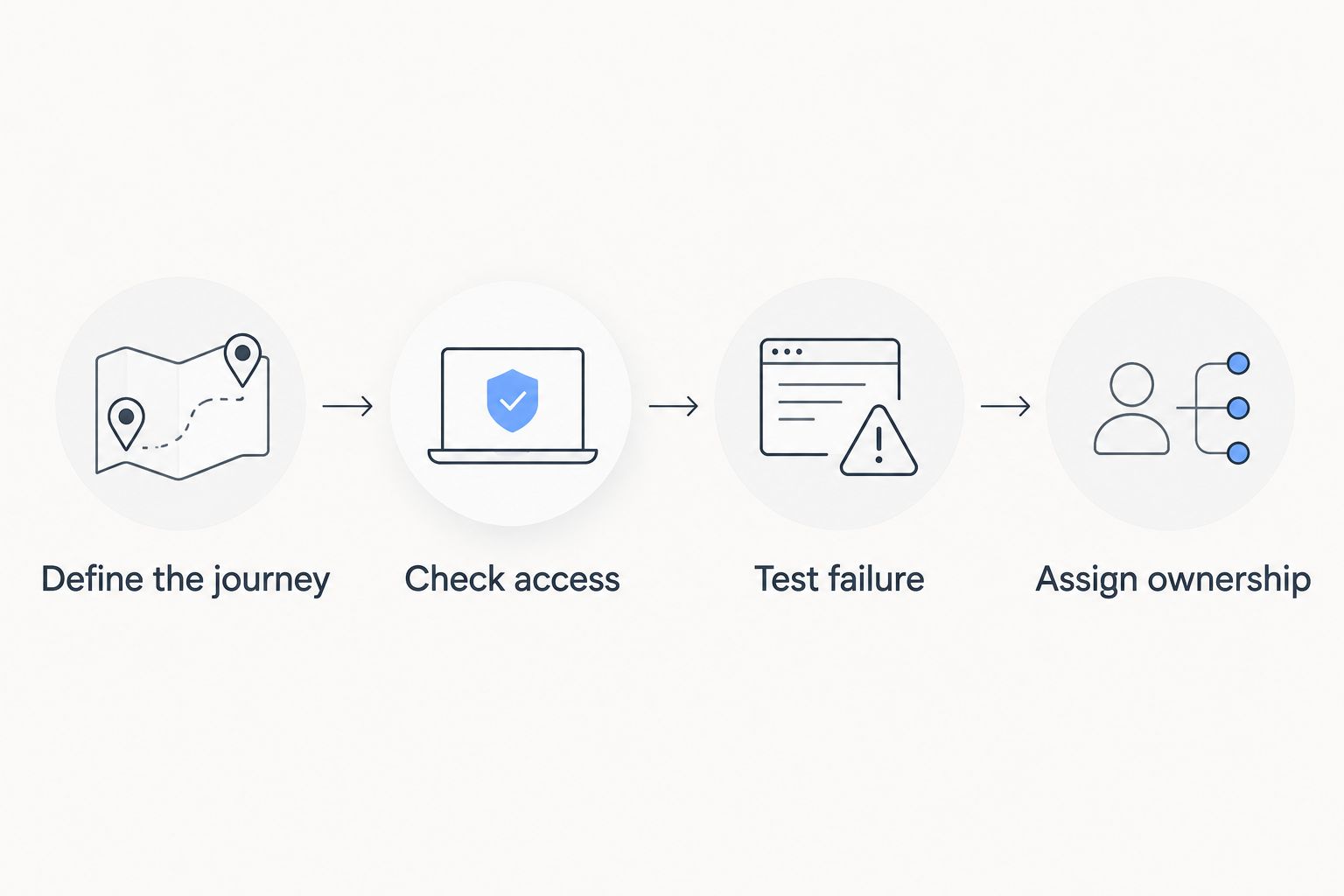
A useful acceptance record pairs each requirement with a demonstrated result and a named owner. Keep unresolved requirements visible; do not replace them with assumptions about what a component or service normally supports.
Which Experience Cloud chat approach should you choose?
Choose Salesforce Enhanced Web Chat as the default evaluation path for customer-service messaging. It starts with the conversation requirement rather than a custom interface project.
Choose a custom Lightning Web Component when a documented requirement demands different behaviour and your team accepts the backend and maintenance work. Choose a UI component library for verified portal-interface needs, not as an inferred replacement for messaging infrastructure.
For 2026, the decisive question is simple: which option can demonstrate your complete customer conversation inside your actual Experience Cloud site? Prefer that evidence over a feature checklist or an attractive standalone demo.
FAQ
What's the best Salesforce chat component for Experience Cloud?
Salesforce Enhanced Web Chat is the first option to evaluate for customer-to-service messaging. A custom Lightning Web Component is a different choice for bespoke interfaces that require development and a separately defined messaging backend.
Is a chat UI component the same as a messaging service?
No. A chat UI component presents the conversation, while a messaging service handles the underlying message exchange and related operations. Confirm which system owns delivery, storage, access, and routing.
Can I build a custom chat interface with a Lightning Web Component?
Yes, a Lightning Web Component can provide a custom conversation interface. You still need to design or integrate the backend and validate security, failure handling, and site compatibility.
Should I choose native Salesforce messaging or custom development?
Evaluate Salesforce messaging first for a standard customer-service requirement. Choose custom development when a documented requirement justifies the additional engineering and maintenance responsibility.
What should I test before adding chat to an Experience Cloud site?
Test the complete conversation journey in the actual site, including user access, message handling, and failure recovery. A launcher that opens successfully is not enough to approve the implementation.
Does an Experience Cloud UI library automatically include live chat?
No. A library's Experience Cloud support does not establish that it includes a messaging service or a specific chat component. Confirm the exact capability and demonstrate it before selecting the library for that purpose.
What determines the scope of an Experience Cloud chat implementation?
The scope depends on the conversation model, identity rules, service configuration, integrations, and required interface changes. Define those requirements before comparing proposals so each proposal addresses the same work.
One last thing
Run the final demonstration as an external user, not as a Salesforce administrator. Administrative access can conceal permission problems that your customers encounter immediately.
For your 2026 launch review, reject a demonstration that stops when the first message appears. Follow the conversation through receipt, response, and the customer's return visit; that is the experience you are actually choosing.