
Best overall for code-led ISVs: Salesforce Lightning base components. Best for low-code Salesforce UI building: Avonni. Best for custom interface styling: Salesforce Lightning Design System. This 2026 guide separates reusable runtime components from design foundations, then shows you what to check before making either a package dependency.
- The best salesforce component library for isv partners depends on runtime, packaging requirements and ownership.
- Salesforce Lightning base components are the default for code-led Lightning Web Components development.
- Choose low-code managed components when configuration fits your product and dependency terms meet your requirements.
- Salesforce Lightning Design System supplies styling guidance, not a packaged collection of interactive application components.
Why this matters
A component library becomes part of your product's operating model. Your choice affects who builds screens, what customers must install, and how you investigate failures after release.
For an ISV, a convincing demonstration is not enough. Choose the component library that fits your subscriber environment and release process, not just your prototype. A screen that works in a development org still needs permission testing, installation testing and an upgrade path.
What makes the best Salesforce component library for ISV partners?
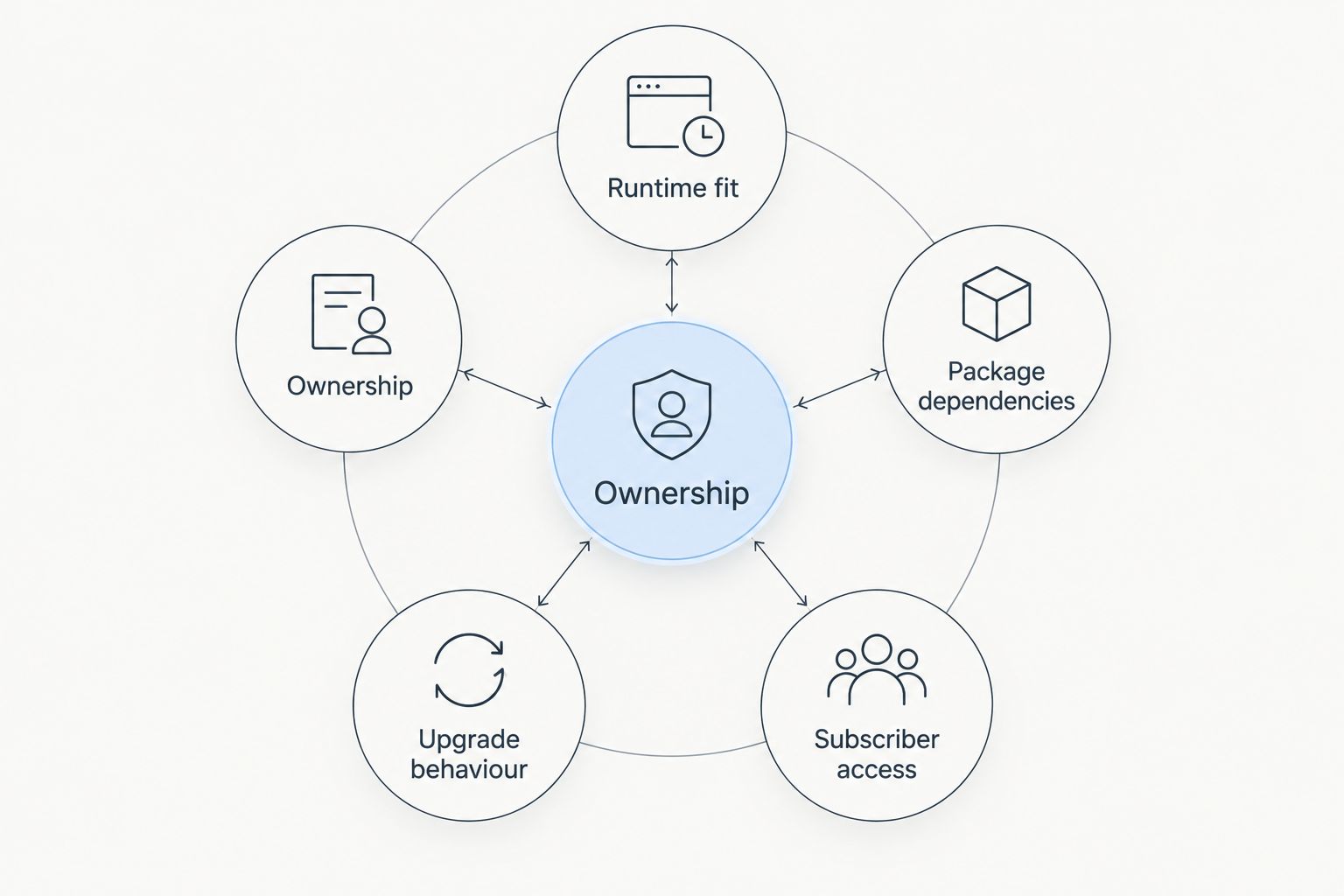
Use these criteria for your 2026 shortlist. They distinguish a useful UI dependency from a collection of attractive examples.
- Runtime fit: Confirm the component works in the intended surface: a Flow screen, Lightning record page, custom LWC or Experience Cloud site.
- Package dependencies: Establish what your package requires, how customers install it, and who controls changes to that dependency.
- Subscriber access: Test the intended users, permission sets, object permissions and field access. Rendering a component does not establish data authorization.
- Upgrade behaviour: Check existing configurations and saved data after an upgrade. Installation success alone is not a regression test.
- Ownership: Decide who maintains interactions, accessibility, configuration and support documentation.
Treat these as separate gates. A component can fit the runtime while failing your distribution requirements, or satisfy packaging requirements while leaving too much custom development for your team.
Salesforce component options at a glance
These options solve different layers of the problem. The first is a third-party managed component subscription, the second is Salesforce's native runtime component set, and the third is a design system rather than an interactive component library.
| Option | Best for | Standout capability | Key limitation |
|---|---|---|---|
| Avonni | Low-code UI configuration | Components spanning Flow Screen, Dynamic, Experience Cloud, LWC and App Builder use cases | Adds a third-party managed-package dependency to evaluate |
| Salesforce Lightning base components | Code-led packaged applications | Native UI building blocks used in Lightning development | Your team still implements application-specific composition and behaviour |
| Salesforce Lightning Design System | Custom interface styling | Design guidance, tokens and component blueprints | Blueprints do not supply application logic or data handling |
For a developer-focused comparison of reusable code options, use the Salesforce LWC component library guide. Keep runtime suitability separate from visual similarity: two controls can look alike while requiring different implementation work.
1. Avonni: best Salesforce component library for low-code UI building
Avonni is best for Salesforce ISVs that want no-code or low-code UI components distributed as AppExchange managed packages. Its subscription covers Flow Screen, Dynamic, Experience Cloud, LWC and App Builder components.
This route suits teams that want configuration to carry more of the interface work. The purchasing decision must also cover how a third-party dependency fits the product you distribute; an AppExchange package is not evidence of redistribution rights or suitability for every subscriber arrangement.
Avonni pros:
- Provides no-code and low-code component options rather than requiring every interface element to start as custom code.
- Covers several named Salesforce UI surfaces, giving your evaluation a broader scope than a single screen type.
- Uses AppExchange managed-package distribution, making package dependency questions explicit during evaluation.
Avonni cons:
- Introduces an external package and subscription relationship that your product team must account for.
- Does not remove your responsibility to test permissions, customer configurations and upgrades.
- Requires confirmation that the intended component usage and commercial arrangement fit your ISV distribution model.
Best for: ISVs, partners and administrator-led teams prioritizing configurable Salesforce interfaces.
For your 2026 evaluation, choose one representative workflow rather than an isolated control. Include its data loading, validation, save action and error state. Ask the vendor to clarify installation requirements, dependency handling and permitted distribution before you commit the product architecture.
Verdict: Buy only after the runtime, dependency and distribution checks pass.
2. Salesforce Lightning base components: best for code-led ISV apps
Salesforce Lightning base components provide reusable interface elements for Lightning development. In LWC, developers use native components such as lightning-input, lightning-button and lightning-datatable to assemble application interfaces.
They are the default starting point when your engineering team owns application behaviour. You get platform building blocks, but your team still connects them to data, validation, navigation and product-specific interactions.
Salesforce Lightning base components pros:
- Provide native controls for common interface needs, including input, actions and tabular presentation.
- Let developers compose product-specific screens without selecting a separate third-party UI package for each basic control.
- Provide documented component APIs and accessibility behaviour as foundations for implementation.
- Fit a code-led ownership model in which your team maintains the assembled application.
Salesforce Lightning base components cons:
- Do not provide your complete business workflow, persistence logic or domain-specific interaction model.
- Require development work to compose controls into a finished application.
- Still require target-by-target verification; component support is not identical across every Salesforce surface.
Best for: ISVs building differentiated application behaviour with an LWC development team.
Start with the native component that comes closest to the requirement. Write down the missing behaviour before replacing it. If the gap is a validation rule or a small composition change, keep the native control; if the gap dominates the implementation, evaluate a specialized alternative.
Verdict: Buy into the native-first approach for code-led products; extend only where requirements justify it.
3. Salesforce Lightning Design System: best for custom UI styling
Salesforce Lightning Design System, or SLDS, provides design guidance, styling resources and component blueprints. It helps developers construct interfaces that follow Salesforce design patterns.
SLDS belongs in this comparison because teams often confuse a styled blueprint with a working component. It is a design foundation, not a substitute for the runtime behaviour supplied by Lightning base components or a managed component package.
Salesforce Lightning Design System pros:
- Provides patterns for interface structure and presentation.
- Gives custom components a shared design vocabulary rather than an unrelated styling approach.
- Includes blueprint guidance that helps developers understand the intended structure of a control.
Salesforce Lightning Design System cons:
- Does not connect a blueprint to Salesforce records or implement your business actions.
- Leaves custom interaction behaviour and its testing with your development team.
- Requires careful implementation of accessibility details; copying markup does not complete that work.
Best for: ISVs whose custom interface requirements extend beyond the presentation available through an existing runtime component.
Use SLDS when you have a specific design requirement and an engineering owner for the resulting component. Do not choose it as a shortcut around implementation: styling, keyboard interaction, focus management and application behaviour remain distinct responsibilities.
Verdict: Hold until a real custom-interface requirement justifies building and maintaining the control.
How to validate a library before making it a dependency
Your 2026 selection should survive a small, repeatable acceptance test. Use the same workflow and expected results for each candidate so the comparison measures fit rather than demonstration quality.
Start with one complete workflow
Choose 1 workflow that represents your product: viewing records, editing permitted fields, validating input and saving changes. Include loading, empty, error and success states in the acceptance criteria.
Avoid a demonstration that only displays prepared data. The useful question is whether the component supports the full interaction your customers need, including recovery when an action fails.
Separate development from subscriber testing
Use 2 orgs in your evaluation plan: a development environment and a separate subscriber-style test environment. Install the intended package combination in the latter instead of relying solely on the environment where you built the screen.
Record every prerequisite you encounter. Installation instructions, permission assignments and configuration steps belong in the product's delivery process, not in someone's memory.
Apply three release checks
Make 3 release checks explicit: installation, permissions and upgrade behaviour. These are recommended evaluation gates, not a claim about any vendor's testing coverage.
- Installation: Can a clean target environment reach the intended working state using documented steps?
- Permissions: Does the workflow behave correctly for the actual user profiles and permission sets?
- Upgrade behaviour: Do existing screens and configurations still meet the acceptance criteria after the package changes?
Assign support ownership
Decide who investigates each failure category before launch. Your team owns the customer relationship even when the underlying defect belongs to a dependency.
Document the component configuration, reproduction steps and expected result. A clear boundary between your application logic and the library's behaviour makes escalation more precise.
How the options rank
The ranking prioritizes runtime fit, dependency control, subscriber access, upgrade behaviour and ownership. It separates the three approaches by use case rather than treating every option as an interchangeable component catalogue.
Native Lightning base components take the default position for code-led products. A low-code managed library earns its place when configuration matches the workflow and the dependency arrangement fits distribution. SLDS belongs where your team deliberately accepts custom implementation work.
This is an architecture-based shortlist, not a benchmark of rendering speed, component counts or customer satisfaction. Your 2026 acceptance test supplies the product-specific evidence needed for the final decision.
Which Salesforce component library should you choose?
Choose Salesforce Lightning base components if you are undecided and your team already builds LWCs. Begin with native controls, identify the gaps, and add dependencies only for requirements those controls do not meet.
Choose Avonni when configurable Salesforce UI components match your workflow and the managed-package arrangement fits your distribution model. Choose Salesforce Lightning Design System when you need custom presentation and have an engineering owner for implementation and accessibility.
The practical decision is about ownership: configure a supplied component, compose native controls, or build a custom interface. Select the approach your team can support after customers install it.
FAQ
What's the best Salesforce component library for ISV partners?
Salesforce Lightning base components are the default for code-led ISVs building LWCs. A low-code managed library is a better fit when configurable components meet the workflow and its dependency terms fit your distribution model.
Should an ISV use native components or a third-party package?
Use native components when they meet the requirement without excessive custom work. Evaluate a third-party package when it supplies needed behaviour, then check runtime support, installation requirements and distribution terms.
Is Salesforce Lightning Design System a component library?
Salesforce Lightning Design System is a design system with styling resources and component blueprints, not a complete interactive runtime library. Developers still implement application behaviour, data handling and custom interactions.
Can the same component work in Flow and Experience Cloud?
Support depends on the specific component and its documented targets. Verify Flow and Experience Cloud separately rather than assuming that support for one Salesforce surface establishes support for another.
Does an AppExchange managed package automatically fit my ISV product?
No. Managed-package distribution does not establish that a component fits your runtime, dependency structure or commercial distribution arrangement. Confirm each requirement before making it part of your product.
How should an ISV test a component library before release?
Test a complete workflow in development and a separate subscriber-style environment. Check installation, actual user permissions and upgrade behaviour against written acceptance criteria.
Do native Salesforce components remove accessibility testing?
No. Native components provide accessibility foundations, but your assembled workflow still needs testing. Check labels, keyboard operation, focus changes and error handling across the complete interaction.
One last thing
Test the user with the least access, not just the administrator who built the screen. A successful administrator demonstration does not prove that your customer's intended user can read the required fields, complete an action or understand a permission-related failure.
For your 2026 release checklist, make that restricted-user workflow a named acceptance case. It gives the library decision a concrete finish line: the intended user completes the intended task in the intended environment.