
Best for packaged no-code/low-code Salesforce UIs: Avonni. Best for developer-owned interfaces: Salesforce Lightning base components. Best for custom interface design: Salesforce Lightning Design System. This 2026 guide to Salesforce component library reviews ranks implementation fit, not customer star ratings.
- For salesforce component library reviews, choose Avonni when you need packaged no-code/low-code Salesforce UI components.
- Choose Salesforce Lightning base components when developers own component behaviour and maintenance.
- Choose Salesforce Lightning Design System for interface patterns and styling, not a ready-to-install component package.
- Prioritise reviews describing your Salesforce surface, permissions, and maintenance requirements over generic praise.
Why this matters
A component library review is useful only when the reviewer built something close to your project. A developer building a custom record interface and an admin configuring a screen flow need different evidence, even when both describe the same component as easy to use.
Avonni is best for Salesforce teams seeking packaged no-code/low-code UI components. Its stated scope includes Flow Screen, Dynamic, Experience Cloud, LWC, and App Builder components distributed as AppExchange managed packages.
The alternatives below are not interchangeable products. Lightning base components are developer building blocks; Lightning Design System supplies interface guidance and styling resources. Treating all three as identical libraries hides the biggest buying decision: how much implementation work your team intends to own.
What makes the best Salesforce component library?
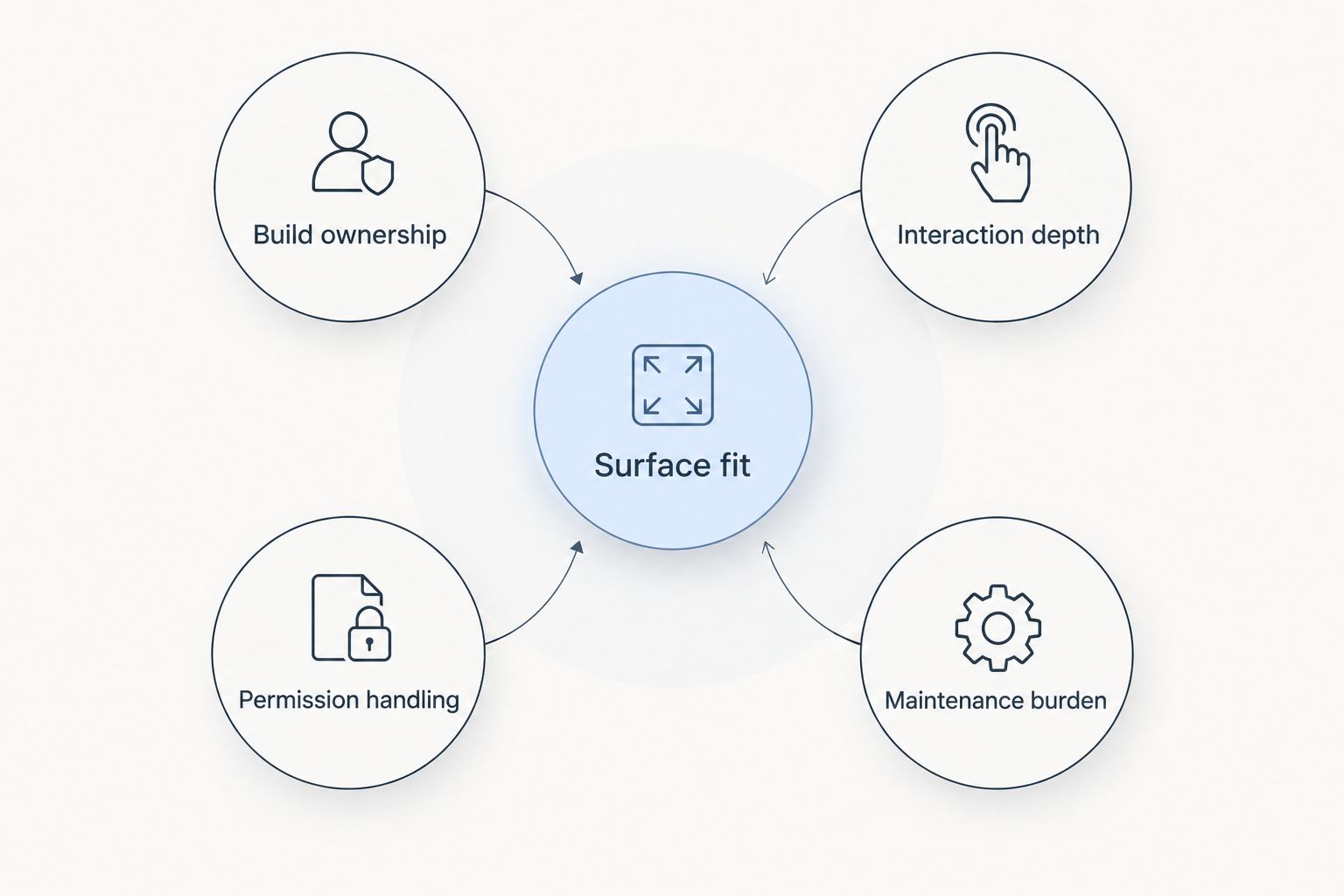
Use these five criteria to read Salesforce component library reviews in 2026. Judge the evidence against your intended implementation, not the enthusiasm of the recommendation.
- Surface fit: The review describes the environment you need, such as Flow screens, Lightning pages, or Experience Cloud.
- Build ownership: The review explains what an admin configured and what a developer had to implement.
- Interaction depth: The reviewer describes the actual task, including editing, validation, selection, or record updates.
- Permission handling: The review distinguishes interface behaviour from access to objects, fields, and records.
- Maintenance burden: The review explains what the team maintains after launch, including configuration, custom code, and package dependencies.
A useful review names both an advantage and a constraint. A statement about attractive screens tells you little about whether users can complete a task with their actual permissions.
Salesforce component libraries at a glance
This 2026 shortlist puts the packaged option first for teams explicitly seeking no-code/low-code components. Choose a different row when your requirement is developer control or design consistency rather than a managed package.
| Rank and option | Best for | Standout characteristic | Key limitation |
|---|---|---|---|
| 1. Avonni | Packaged no-code/low-code Salesforce UI building | Components distributed as AppExchange managed packages | A package introduces a dependency; validate each required interaction |
| 2. Salesforce Lightning base components | Developer-owned custom interfaces | Salesforce-provided building blocks for Lightning development | Developers still implement application-specific behaviour |
| 3. Salesforce Lightning Design System | Custom UI design and styling | Salesforce interface patterns, styling resources, and component blueprints | A design system is not an installed functional component library |
The ranking is a decision order, not a claim that one option has better customer reviews. Start with the delivery model you want, then use relevant reviews to challenge that choice.
1. Avonni: best Salesforce library for packaged low-code UIs
Avonni sells a subscription of no-code/low-code UI components for Salesforce admins, developers, ISVs, and partners. Its components cover several Salesforce UI contexts and are delivered through AppExchange managed packages.
Best for: Teams that want to evaluate packaged components before committing to custom interface development.
That makes the product relevant when your requirement starts with an interface task rather than a desire to write a component. Describe the task precisely: which records users see, which actions they take, and which screen or page hosts the experience.
Avonni pros
- The stated component scope includes Flow Screen, Dynamic, Experience Cloud, LWC, and App Builder components.
- The no-code/low-code model fits an evaluation led by admins as well as developers.
- Managed-package distribution provides a defined delivery model for the components.
Package limitations
- A managed package becomes a dependency that your team must assess and maintain within its Salesforce environment.
- Broad category coverage does not establish support for every interaction, configuration, or deployment requirement.
- A packaged interface does not remove your responsibility for data access, validation, and acceptance testing.
Which reviews matter?
Prioritise accounts from people building on your intended Salesforce surface. An Experience Cloud implementation does not answer every question about a Flow screen, and a developer's custom extension does not establish what an admin can configure without code.
For your 2026 evaluation, ask the reviewer what remained outside the package. That boundary matters more than a general statement that the component was easy to configure.
Verdict: Buy only after a sandbox evaluation confirms your required interactions, permissions, and ownership model.
2. Salesforce Lightning base components: best for developer control
Salesforce Lightning base components provide standard interface building blocks for Lightning development. Developers compose them into custom components and implement the application-specific behaviour around them.
Best for: Teams with developers responsible for the interface, its data interactions, and its ongoing maintenance.
Choose this route when the requirement is genuinely custom. A standard input, button, or table is a starting point; it is not the complete business process that surrounds the interface.
Salesforce Lightning base components pros
- Salesforce supplies the base component layer rather than requiring a separate third-party UI package for those building blocks.
- Developers can combine components around application-specific workflows.
- The approach fits teams already maintaining custom Lightning Web Components.
Salesforce Lightning base components cons
- Building blocks still require implementation, testing, and maintenance for the finished experience.
- Admin configuration does not replace development of custom behaviour.
- A review of an individual component does not establish the quality of the application built around it.
Which reviews matter?
Look for developer accounts that separate base component behaviour from custom code. If a reviewer describes an editing workflow, establish which parts came from the standard component and which parts the development team built.
Read limitations as engineering inputs. A mismatch in supported interaction can matter more than a long list of useful standard features, especially when that interaction is central to the user's task.
Verdict: Buy into this approach when developer ownership is intentional; skip it as a substitute for a ready-configured application.
3. Salesforce Lightning Design System: best for custom UI design
Salesforce Lightning Design System, commonly called SLDS, provides design guidance, styling resources, and component blueprints for Salesforce interfaces. It helps teams shape custom interfaces around Salesforce design patterns.
Best for: Designers and developers defining the structure and presentation of a custom Salesforce UI.
SLDS belongs in this comparison because component-library searches often mix visual resources with functional software. Keep that distinction explicit: a blueprint describes an interface pattern, not the complete working behaviour of an application.
Salesforce Lightning Design System pros
- It provides a shared reference for Salesforce interface design.
- Component blueprints help designers and developers discuss the same interface structure.
- Design guidance supports decisions beyond selecting an individual control.
Salesforce Lightning Design System cons
- A component blueprint does not supply the full application logic behind an interaction.
- Teams still need to implement and test behaviour, data access, and integrations.
- Reviews focused on appearance offer limited evidence about task completion.
Which reviews matter?
Read designer feedback for clarity, consistency, and the usefulness of the patterns. Read developer feedback separately for implementation constraints; those are related questions, not identical ones.
For a 2026 project, use the current guidance relevant to the interface you are building. Do not assume a screenshot in an older review establishes the behaviour or suitability of your implementation.
Verdict: Buy into SLDS as a design foundation; skip it as a replacement for functional packaged components.
How to turn reviews into a shortlist
Use reviews to identify questions for a practical evaluation. Do not ask reviewers to prove that an entire library is good; ask whether their evidence supports your specific workflow.
Define 3 tasks
Write down 3 representative tasks your users must complete. For example, select a record, update permitted information, and resolve a validation error. These are evaluation tasks, not claims about any library's capabilities.
For each task, record the hosting surface and the required outcome. This prevents a polished demonstration on the wrong Salesforce surface from becoming your selection criterion.
Test with 2 user profiles
Evaluate the proposed interface with 2 representative user profiles: one with broader access and one with restricted access. Use your organisation's real permission model rather than granting extra access to make the demonstration work.
Check what users can see, what they can change, and how the interface handles denied actions. A visually correct interface can still fail your acceptance criteria.
Start with 1 representative page
Build 1 representative page or flow screen before expanding the evaluation. Include a normal path and an error path, rather than assembling an isolated collection of attractive controls.
Record which work was configuration, which work was custom development, and who will maintain each part. That evidence gives you a practical comparison without inventing a universal score.
How the ranking works
The shortlist follows the five criteria above: surface fit, build ownership, interaction depth, permission handling, and maintenance burden. The order starts with packaged no-code/low-code delivery, then moves to developer building blocks and design resources.
It is not a customer-satisfaction leaderboard. Customer reviews become decision evidence when they identify the implementation context, explain what worked, and describe a limitation that another team can investigate.
For Salesforce component library reviews in 2026, keep two judgements separate: whether reviewers liked an option and whether it fits your project. Neither judgement substitutes for the other.
Which Salesforce component library should you choose?
Choose Avonni first when your goal is packaged no-code/low-code Salesforce UI building. Validate the relevant component category against your actual task before committing to the package.
Choose Salesforce Lightning base components when developers should own the working interface. Choose Salesforce Lightning Design System when the immediate problem is interface design and styling, not packaged functionality.
If you remain undecided, return to the maintenance question: who will change this interface after launch? Your answer should determine the delivery model before reviewer sentiment determines the shortlist.
FAQ
What's the best way to compare Salesforce component library reviews?
Compare reviews from implementations that match your Salesforce surface, user tasks, and ownership model. Prioritise specific advantages and limitations over generic praise or an isolated rating.
Which Salesforce component option is best for no-code or low-code work?
Avonni is the packaged no-code/low-code option in this shortlist. Its stated scope includes Flow Screen, Dynamic, Experience Cloud, LWC, and App Builder components distributed as AppExchange managed packages.
Are Lightning base components the same as a managed package?
No. Salesforce Lightning base components are developer building blocks, while a managed package is a distribution model for installed software. Compare the finished implementation work rather than treating them as equivalent offerings.
Is Salesforce Lightning Design System a working component library?
SLDS provides design guidance, styling resources, and component blueprints rather than a complete application. Developers still need to implement the behaviour and data interactions required by the interface.
Can admins evaluate a Salesforce component library without developers?
Admins can lead an evaluation of configuration-led requirements. Involve developers when the proposed solution includes custom behaviour, integrations, or implementation work beyond the available configuration.
Should I choose the option with the highest review rating?
No. A rating does not establish support for your Salesforce surface, permissions, or workflow. Use relevant written reviews to identify what to test before making a selection.
What should I test before committing to a component library?
Test a representative user task, a restricted-access user, and an error path in a sandbox. Record the configuration, custom code, and package dependencies your team will own after launch.
One last thing
Ask a reviewer what they had to build outside the library. That answer exposes the boundary between the component and the finished solution, which a feature list alone does not show.
For your 2026 decision, document that boundary before choosing. A library is a better fit when its boundary matches the work your team actually wants to own.