
Choose Avonni if you need configurable UI components for a working Salesforce interface; choose Justinmind if you need an interactive prototype to evaluate a design before implementation. This 2026 comparison separates production components from prototyping software so you can choose the right tool for your next deliverable.
- Avonni vs Justinmind comes down to Salesforce UI implementation versus interactive prototyping.
- Choose Salesforce components when your deliverable must work inside Salesforce, not just demonstrate an interaction.
- Choose Justinmind when you need to explore screens and user journeys before development.
- Compare subscriptions against the work they replace; prototype approval does not complete production implementation.
Why this matters
A convincing prototype and a working Salesforce screen solve different problems. Confusing them creates a planning error: your team approves an interaction, then discovers that implementing it still requires separate component selection, configuration, and testing.
The reverse mistake also matters. Installing a component package does not resolve unclear requirements or prove that users understand a proposed workflow. You still need to decide what the interface should do.
Choose by the artifact you need next: a design to evaluate or an interface to implement. That distinction is the basis of this comparison, not a claim that either product wins every stage of UI development.
At a glance
| Dimension | Avonni | Justinmind |
|---|---|---|
| Best for | Salesforce admins, developers, ISVs, and partners building Salesforce UIs | Designers and teams evaluating interactive interface concepts |
| Production implementation | Salesforce UI components distributed as AppExchange managed packages | Prototyping software; a prototype is not a deployed Salesforce component |
| Interaction testing | Evaluate the interface you configure within your Salesforce implementation | Explore proposed screen interactions before implementation |
| Design exploration | Start from the capabilities and constraints of available components | Start from the interface concept you want to demonstrate |
| Stakeholder review | Review implementation choices in their Salesforce context | Review proposed journeys before committing to implementation |
| Salesforce ecosystem fit | Flow Screen, Dynamic, Experience Cloud, LWC, and App Builder components | A separate prototyping stage rather than a Salesforce component package |
| Standout distinction | Configurable building blocks for Salesforce UI work | Interactive prototypes for design evaluation |
| Pricing model | Subscription for component packages | Software licensing for a prototyping environment; check current terms |
Salesforce components win when implementation is the next task
Best for: an administrator or developer responsible for a working Salesforce interface. If your next deliverable belongs inside Salesforce, start by evaluating components for that environment. A prototype alone does not meet the acceptance criterion.
Avonni is a Salesforce UI component subscription for teams building interfaces inside Salesforce. Its stated scope includes Flow Screen, Dynamic, Experience Cloud, LWC, and App Builder components, distributed as AppExchange managed packages.
That distribution model makes the comparison concrete. You are evaluating building blocks for implementation, rather than treating a visual demonstration as the finished interface. You still need to verify that the selected components support your actual requirements.
The limitation is equally clear: a component library is not unrestricted design freedom. Your proposed behaviour must fit the components you select or require additional implementation work. Do not choose a package solely because a demonstration resembles your desired screen.
Justinmind wins earlier in the process when the deliverable is a prototype. It does not replace the Salesforce implementation task described here.
Justinmind wins when the interaction is still undecided
Best for: a designer who needs to demonstrate a proposed journey before development. Justinmind is an interactive prototyping tool, so its central job is to help you represent how an interface should behave before that interface is built.
This is useful when stakeholders agree on the business objective but disagree on the experience. You can demonstrate different screen sequences, discuss the consequences, and refine the concept without presenting those decisions as completed production work.
For your 2026 project, separate design questions from implementation questions:
- Design question: Does the user understand what happens after selecting an action?
- Implementation question: Can the chosen Salesforce components support that behaviour?
- Acceptance question: Does the implemented workflow behave correctly for its intended users?
Justinmind addresses the first question through prototyping. Salesforce implementation requires the later checks as well.
The tradeoff is handoff. A successful prototype still needs an implementation specification, including the intended states, validation behaviour, data requirements, and exceptions. Visual agreement is not proof of technical feasibility.
Justinmind wins for concept freedom; components expose constraints sooner
Best for: a team comparing alternative interface structures. When the layout or journey remains unsettled, prototype the alternatives before treating a particular implementation approach as final.
Justinmind is the better starting point for that task because the immediate output is a design proposal. You can concentrate the review on what the experience should communicate rather than asking stakeholders to evaluate package configuration at the same time.
Component-led work has a different advantage: it brings implementation constraints into the conversation sooner. Your team evaluates a design against the building blocks it intends to use. That can prevent approval of an interaction that later requires a different technical approach.
Neither advantage removes the tradeoff:
- Prototype first: You gain room to explore, but must check that the approved design is implementable.
- Component first: You ground decisions in implementation, but must avoid letting the available controls define the business requirement.
Choose the starting point that matches your uncertainty. Unclear user journeys call for design exploration; clear requirements call for implementation evaluation.
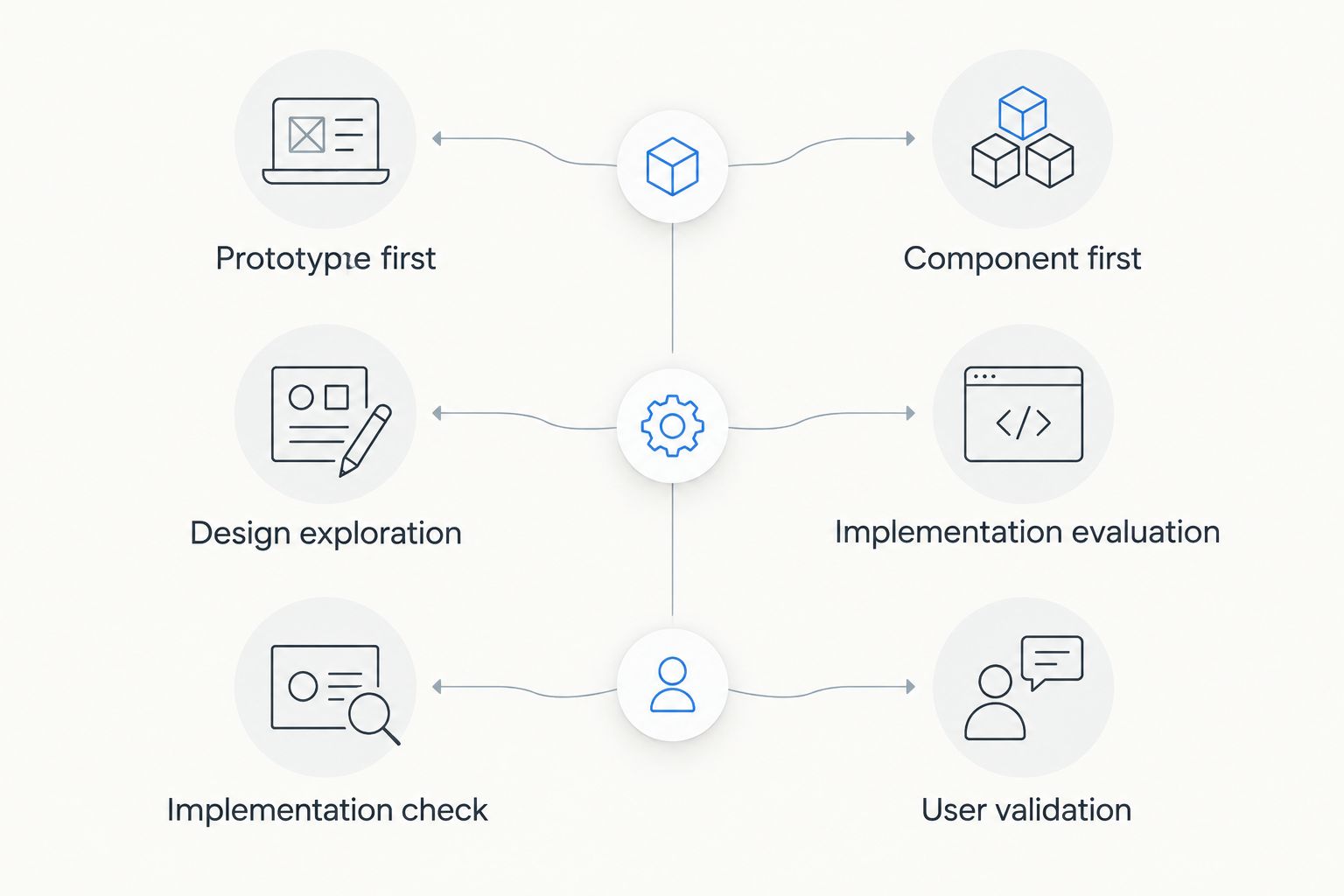
Both support review, but neither replaces user validation
Best for: teams that need agreement before release. Both approaches can give stakeholders something concrete to evaluate. The important difference is what that review establishes.
A prototype review can establish that stakeholders understand and prefer a proposed journey. An implementation review can establish whether the configured interface meets agreed requirements in its intended environment. Those are related findings, not interchangeable ones.
Use the same review questions whichever route you choose:
- Can the user identify the next action without explanation?
- Does each interaction produce an understandable result?
- Are empty states, invalid entries, and unsuccessful actions addressed?
- Does the interface reflect the workflow the business actually needs?
This dimension is a tie on review usefulness, not on production readiness. The quality of your review depends on the task you ask someone to complete and the evidence you collect.
For a 2026 evaluation, write the acceptance criteria before the demonstration. Otherwise, a polished presentation can distract reviewers from missing behaviour.
Salesforce component packages win on Salesforce implementation fit
Best for: teams whose delivery environment is already Salesforce. Avonni's stated product scope is Salesforce UI components, including components for Flow Screen, Experience Cloud, LWC, and App Builder work. That is a direct fit with an implementation decision inside that ecosystem.
Justinmind addresses a different layer: representing and evaluating the proposed interface. It is not a substitute for selecting the Salesforce building blocks that will deliver the approved behaviour.
Be precise about the destination before evaluating either tool. A Flow screen, an Experience Cloud interface, and an App Builder page are not interchangeable implementation contexts. Select the relevant component category, then verify the specific requirements against it.
Do not infer support for a particular feature from a broad category name. If your requirement includes a particular editing behaviour, permission boundary, or data interaction, make that an explicit evaluation item.
For a broader view of the design-stage options, compare Justinmind alternatives for Salesforce teams. Keep the same distinction throughout: tools for proposing an interface and tools for building it belong to different purchasing decisions.
The standout difference is the deliverable, not a feature count
Best for: a buyer deciding which subscription belongs in the current project. A long feature checklist obscures this comparison because the products do not have the same primary output.
For Salesforce component software, the relevant question is whether the available building blocks meet your implementation requirements. For Justinmind, the relevant question is whether the prototype communicates the experience your team needs to evaluate.
Use a small, explicit evaluation brief rather than a generic product tour. The following is a recommended test scope, not a product limit or performance claim:
- 1 workflow: Choose a real task with a clear beginning and completion state.
- 3 screens: Include an entry screen, an interaction screen, and a result screen where that structure fits the task.
- 2 reviewers: Ask an intended user to assess clarity and an implementer to assess feasibility.
Keep the brief consistent across your 2026 evaluation. Record what each approach proves and what remains unresolved. A prototype can prove that a journey is understandable without proving the final implementation; a component demonstration can show functionality without proving usability.
Pricing: compare the work purchased, not just the licence
There is no pricing winner without matching scope. Avonni uses a subscription model for its Salesforce UI components. Justinmind is licensed prototyping software; check its current licensing terms against the people and work involved in your project.
The practical distinction is the activity each purchase supports. One subscription supplies Salesforce component building blocks. The other supports the creation and evaluation of prototypes. Comparing them as interchangeable licences misses the implementation work that follows design approval.
Evaluate the commercial terms alongside these questions:
- Who needs access to configure, design, review, or maintain the work?
- Which delivery environments and project requirements must the agreement cover?
- What implementation work remains after the design is approved?
- Who owns ongoing changes after the initial release?
For your 2026 budget, keep design evaluation and production implementation as separate line items. Combining them into a single assumed outcome hides work; separating them makes the purchasing decision easier to explain.
Final verdict: choose for the next deliverable
Choose Avonni if you own Salesforce implementation
Best for: a Salesforce admin, developer, ISV, or partner building a Salesforce UI. Choose the component subscription when the requirement is sufficiently defined and your next task is to configure or develop a working interface using Salesforce-focused building blocks.
The deciding condition is implementation fit. Verify the relevant package and component behaviour against your requirements rather than assuming every desired interaction is included.
Choose Justinmind if you own design validation
Best for: a designer or product team deciding how an interface should work. Choose Justinmind when you need to make a proposed journey tangible, compare alternatives, and resolve design questions before implementation.
Keep the production handoff explicit. An approved prototype is an input to development, not evidence that the Salesforce interface has been delivered.
| Dimension | Winner |
|---|---|
| Working Salesforce interface as the next deliverable | Salesforce component subscription |
| Exploring proposed interactions | Justinmind |
| Comparing interface concepts | Justinmind |
| Stakeholder review | Tie; review different artifacts |
| Salesforce implementation fit | Salesforce component subscription |
| Standout capability | Split: implementation building blocks versus prototyping |
| Pricing model | No winner without matched scope |
FAQ
Is Avonni better than Justinmind for Salesforce teams?
Avonni is the better fit when a Salesforce team needs UI components for implementation. Justinmind is the better fit when the immediate task is to prototype and evaluate a proposed interface.
Can a Justinmind prototype replace a working Salesforce screen?
No. A Justinmind prototype demonstrates a proposed interface; the working Salesforce screen still requires implementation and testing in its intended environment.
Which option should a Salesforce administrator evaluate first?
An administrator with defined implementation requirements should evaluate Salesforce components first. If the workflow itself remains unclear, resolve the design questions before committing to the build.
Which option is better for a UI designer?
Justinmind is the better starting point when the designer's deliverable is an interactive prototype. A designer responsible for implementation specifications should also check the available Salesforce components before finalising the design.
Should a team use prototyping and Salesforce components together?
Use both when the project needs separate design validation and Salesforce implementation stages. Define the handoff so approved interactions become explicit implementation requirements rather than assumptions.
How should I compare the cost of these tools?
Compare the licensing scope and the work each purchase supports, not just the licence itself. Account separately for prototyping, implementation, testing, and ongoing maintenance, and confirm current commercial terms directly.
What should I test before choosing a Salesforce UI tool?
Test a representative workflow against written acceptance criteria. Include the intended user experience, component fit, data behaviour, and exception states so the demonstration answers your actual delivery questions.
One last thing
Test an unsuccessful action before approving the happy path. An invalid entry, an empty result, or an interrupted task often exposes requirements that a polished demonstration leaves unanswered.
Ask the designer to show the intended response and the implementer to explain how it will work. That single recommendation connects prototype review to production acceptance without confusing the two.