
Justinmind is built for interactive prototyping, making it useful when you need to demonstrate a proposed Salesforce experience before implementation. Its ceiling is the handoff: a prototype does not replace the components, configuration, and testing required inside Salesforce. The best Justinmind alternative in 2026 is Avonni if you need packaged Salesforce UI components; Figma if you need collaborative interface design rather than a deployed Salesforce screen.
- For Justinmind alternatives for Salesforce, choose Avonni when you need packaged Salesforce UI components rather than another prototype.
- Choose native Salesforce Screen Flow when standard components meet your workflow requirements.
- Choose custom Lightning Web Components when your team needs control over implementation and can maintain code.
- Choose Figma for interface design; keep Justinmind when interactive prototyping remains the actual requirement.
Why this matters
A Salesforce team can mean different things by an alternative to Justinmind. You might need a different design workspace, or you might want to stop describing screens and start building them.
Those are different purchases. A design tool helps you communicate an interaction; a Salesforce component becomes part of its implementation. Comparing them without separating those jobs produces a shortlist that looks useful but answers the wrong question.
For your 2026 shortlist, start with the deliverable: an interactive prototype, a configured Salesforce screen, or a custom application interface. Choose the tool category before comparing individual features.
Justinmind alternatives at a glance
| Option | Best for | Standout capability | Difference from Justinmind |
|---|---|---|---|
| Justinmind | Demonstrating interactions before development | Interactive prototypes | Benchmark option: models an experience rather than supplying its Salesforce implementation |
| Avonni | Teams seeking packaged Salesforce UI components | Managed packages spanning Flow Screen, Dynamic, Experience Cloud, LWC, and App Builder components | Supplies Salesforce UI components instead of serving only as a separate prototyping workspace |
| Salesforce Screen Flow | Admin-led workflows that fit native screen components | Screens connected to Flow logic | Builds an executable Salesforce workflow rather than a standalone prototype |
| Custom Lightning Web Components | Teams with development capacity and specific interface requirements | Code-level control over component behaviour | Implements the interface in Salesforce rather than modelling it elsewhere |
| Figma | Collaborative interface design and design review | Shared interface design and prototyping | An alternative design workspace, not a substitute for Salesforce implementation |
The deciding question is whether your next deliverable is a prototype or a working Salesforce interface. A useful comparison tests that distinction before visual polish or familiarity.
1. Avonni: best for packaged Salesforce UI components
Avonni supplies a subscription of no-code/low-code Salesforce UI components distributed as AppExchange managed packages. Its stated scope includes Flow Screen, Dynamic, Experience Cloud, LWC, and App Builder components for admins, developers, ISVs, and partners.
This is the direct category change for teams that have moved beyond demonstrating a screen. You evaluate components for the Salesforce interface you intend to build, rather than choosing another place to draw that interface.
Where Avonni shines
- Salesforce implementation focus: the offering consists of Salesforce UI components, not just design artefacts.
- Multiple component contexts: its stated scope includes Flow Screen, Experience Cloud, LWC, and App Builder components.
- Mixed technical audiences: the offering explicitly serves admins, developers, ISVs, and partners.
Where Avonni falls short
- It is not a like-for-like Justinmind replacement: packaged Salesforce components address a different job from general-purpose prototyping.
- Package adoption becomes part of your decision: your team must evaluate the managed package within its Salesforce governance process.
- Component fit still needs validation: a category match does not establish that every required interaction is supported.
| Dimension | Packaged component approach | Justinmind |
|---|---|---|
| Primary output | Salesforce UI built using supplied components | Interactive prototype |
| Evaluation focus | Component fit in the intended Salesforce context | Interaction design and demonstration |
| Adoption decision | Managed-package use within Salesforce | Use of a separate prototyping workspace |
| Remaining responsibility | Configuration, validation, and release decisions | Salesforce implementation after prototyping |
Best for: Salesforce teams seeking no-code/low-code components for implementation rather than another prototyping workspace.
Verdict: Buy for component-led delivery after validating the required screen in your org. Skip as a replacement for unrelated design work.
2. Salesforce Screen Flow: best for native admin-led workflows
Salesforce Screen Flow lets admins combine screens with Flow logic. It belongs on your shortlist when the real requirement is a guided Salesforce process, not a separate design presentation.
Start with the standard screen components and establish whether they support your required interaction. A familiar prototype should not push you into an additional component dependency before you have checked the native route.
Where Salesforce Screen Flow shines
- Workflow execution: the screen belongs to an executable Flow rather than an isolated prototype.
- Admin-led configuration: declarative configuration is central to the approach.
- Native starting point: you can assess standard components before choosing an additional library or custom implementation.
Where Salesforce Screen Flow falls short
- Standard components set boundaries: a specific interaction can require an additional component or custom development.
- It is not a general design canvas: building a working workflow and exploring arbitrary visual concepts are different tasks.
- Configuration still requires testing: a screen that renders correctly does not establish that every decision, record update, and error path works correctly.
| Dimension | Salesforce Screen Flow | Justinmind |
|---|---|---|
| Primary purpose | Execute guided Salesforce workflows | Demonstrate proposed interactions |
| Building method | Declarative screens and Flow logic | Prototype design |
| Validation focus | Workflow behaviour in Salesforce | Prototype interaction and comprehension |
| Main boundary | Available components and platform behaviour | Separate implementation required |
If the native route is close but the screen needs additional controls, compare Salesforce Flow Screen component libraries against the precise gap. Do not replace a whole workflow just to solve an isolated interface requirement.
Best for: admins building guided processes whose requirements fit native Flow screens.
Verdict: Buy into the native approach first when standard components satisfy the acceptance criteria.
3. Custom Lightning Web Components: best for implementation control
Custom Lightning Web Components are the development route when your Salesforce interface needs behaviour that configuration and available packages do not satisfy. Your team writes and maintains the component instead of treating the interface as a prototype or selecting a packaged substitute.
The trade-off is responsibility. Control over implementation also means ownership of its code, tests, documentation, and future changes.
Where custom Lightning Web Components shine
- Implementation control: developers define the component's behaviour in code.
- Requirement-specific development: the interface can be designed around a clearly specified use case.
- Direct delivery: the work produces a Salesforce component rather than a separate demonstration of one.
Where custom Lightning Web Components fall short
- Developer ownership is required: coding and maintenance do not disappear after the first release.
- Routine changes can require development work: an admin cannot assume every component setting will be configurable.
- You must define the editing surface: configuration options need to be designed, not assumed.
| Dimension | Custom Lightning Web Components | Justinmind |
|---|---|---|
| Output | Implemented Salesforce component | Interactive prototype |
| Primary owner | Development team | Design or prototyping team |
| Change mechanism | Code and exposed configuration | Prototype editing |
| Ongoing responsibility | Component maintenance | Prototype maintenance plus separate implementation |
Best for: teams with development capacity and requirements that justify owning custom code.
Verdict: Buy into custom development when the requirement demands implementation control; skip when standard configuration already meets it.
4. Figma: best for collaborative interface design
Figma is the alternative when your problem remains in design: arranging interfaces, discussing proposed changes, and sharing prototypes. It is not the same decision as selecting Salesforce components.
For a 2026 design-tool shortlist, compare how your team creates, reviews, and maintains interface designs. Do not treat a polished design file as evidence that the corresponding Salesforce experience is ready to release.
Where Figma shines
- Shared design work: teams can collaborate on interface designs.
- Prototype communication: linked screens help reviewers discuss a proposed experience.
- Design-stage iteration: you can refine a proposal before committing to implementation.
Where Figma falls short
- Salesforce delivery remains separate: a prototype does not configure your Flow or supply your production component.
- Platform fit needs its own review: a drawn interaction does not prove that your chosen Salesforce implementation supports it.
| Dimension | Figma | Justinmind |
|---|---|---|
| Category | Interface design and prototyping | Interactive prototyping |
| Salesforce role | Design and communication | Design and demonstration |
| Production interface | Separate implementation | Separate implementation |
Best for: teams replacing their design workspace rather than their Salesforce implementation method.
Verdict: Buy for a design collaboration requirement. Skip if your immediate need is a working Salesforce screen.
Why people switch from Justinmind
The meaningful reason to switch is a change in the work you need to complete. Separate these requirements before making a replacement decision:
- You need to execute the workflow: assess Screen Flow rather than another standalone prototype.
- You need supplied Salesforce components: assess a managed-package component library against the required interface.
- You need implementation control: assess custom Lightning Web Components and assign development ownership.
- You need a different design workspace: compare Figma and Justinmind on your actual design and review process.
None of these requirements makes Justinmind bad. They distinguish outgrowing a prototyping stage from needing a different prototyping tool.
A switch is not justified simply because the finished screen will live in Salesforce. If design validation remains your current task, a prototype remains relevant.
Test the shortlist against a real Salesforce workflow
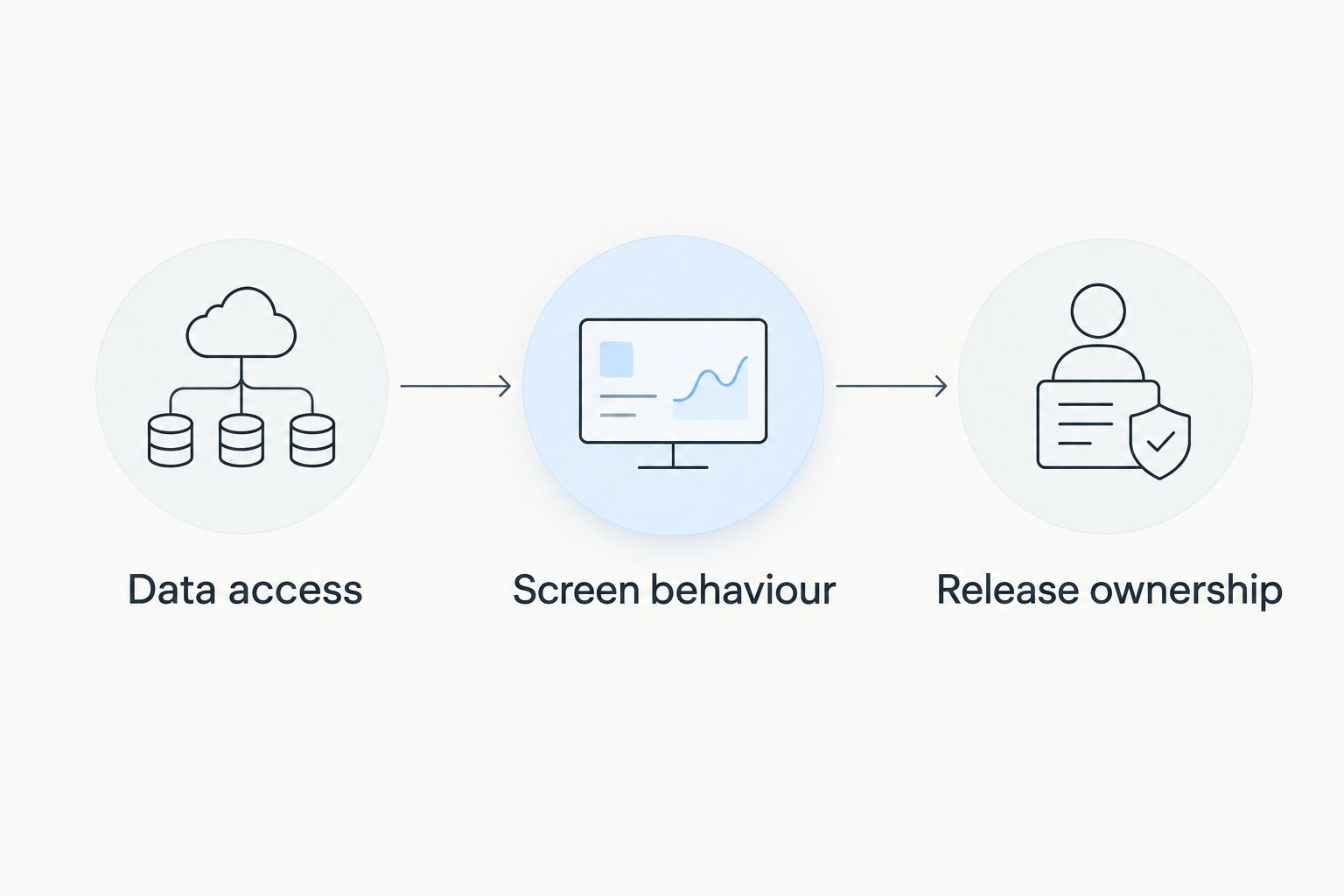
Before selecting your 2026 approach, choose 1 representative workflow and apply 3 acceptance checks. Use an actual user role and the screen's intended Salesforce context, not an isolated visual demonstration.
Data access
Specify what the user must read, create, or update. Test the proposed implementation with the intended permissions; a prototype cannot establish Salesforce access behaviour.
Screen behaviour
Write down the required interaction, including validation, empty states, and errors. Distinguish something that looks correct in a design from something that works in the chosen implementation.
Release ownership
Name the person or team responsible for configuration, code, testing, and later changes. Choose an approach that your organisation can maintain, not just demonstrate.
Separate 2 implementation paths during this exercise: configuration-led delivery and custom-code delivery. A managed component can participate in either, depending on how your team uses it; document the actual responsibility rather than assuming that a package eliminates development work.
Keep design approval separate from release approval. You need agreement on what the screen should do and evidence that the implemented screen does it.
When staying with Justinmind is the right call
Stay with Justinmind when your immediate deliverable is an interactive prototype and your existing workflow serves that task. Replacing a functioning design process does not solve an implementation gap.
For 2026 planning, define an exit criterion for prototyping: which interaction questions must be answered before implementation starts? That keeps the prototype useful without turning it into a substitute for delivery.
FAQ
What's the best Justinmind alternative for Salesforce teams in 2026?
Avonni is the best fit when your requirement is packaged Salesforce UI components rather than another prototype. Choose Salesforce Screen Flow for workflows that fit native components, custom Lightning Web Components for code-level control, or Figma for interface design.
Is Figma better than Justinmind for Salesforce?
Figma is an alternative for interface design and collaboration, not a Salesforce implementation tool. Compare both tools on the design work you need to complete; neither prototype replaces a working Salesforce screen.
Can Salesforce Screen Flow replace a Justinmind prototype?
Salesforce Screen Flow can replace the need for a separate prototype when your immediate goal is to build and validate a working guided workflow. It does not replace every use of a general-purpose prototyping tool.
Should Salesforce admins use native components or a managed package?
Use native components when they meet the workflow's requirements, and evaluate a managed package against a specific remaining gap. Check the intended screen, permissions, and maintenance responsibilities before choosing.
When should a Salesforce team choose custom Lightning Web Components?
Choose custom Lightning Web Components when the interface requires implementation control that available configuration or packages do not provide. Assign responsibility for code, testing, documentation, and future changes before development starts.
Does a Salesforce prototype prove that an interface will work in production?
No, a prototype demonstrates proposed behaviour rather than proving the Salesforce implementation. Validate data access, screen behaviour, and release ownership in the implementation process.
Do we need to stop using Justinmind after choosing Salesforce components?
No, prototyping and Salesforce implementation can serve different stages of the same project. Keep Justinmind if it remains useful for validating interactions before the team builds them.
One last thing
Ask the person who will maintain the screen to join the selection review. Then have that person explain how they would change a validation rule, adjust the interaction, and release the update.
Choose the approach your team can change safely after launch, not just the one that produces the most convincing demo.